












Fish Eat Fish.io
Epic Plane Evolution

Spring Spear: Aim & Snap

Heartopia

Escalators

Love Tester - Find Real Love

Survivalcraft

Gangs Wars: Pixel Shooter RP

Weapon Master: Gun Shooter Run

Ride Master: Car Builder Game
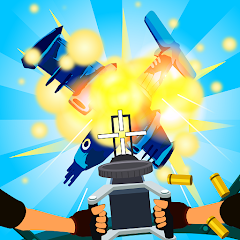
Air Defence 3D
SkyGuardian Studio
Updated
Oct 28, 2026
Category
Arcade
Installs
10M+
Rating
Updated
Oct 28, 2026
Category
Arcade
Developer
SkyGuardian Studio
Installs
10M+
Rating
Game Screenshots
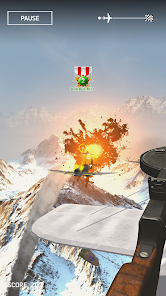
Game Overview
Immersive 3D Air Combat
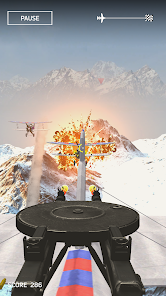
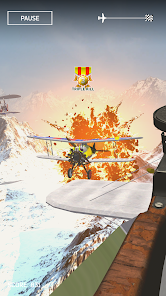
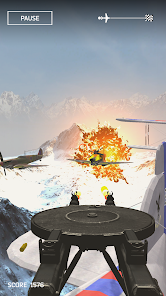
Air Defence 3D is a fast-paced aerial defense shooter where jets, drones, and missiles fill the sky in full 3D 🌌. Players control powerful turrets, lock onto threats, and defend their base against relentless waves of enemies.
Strategic Defence Playground
This isn’t just about shooting—it’s about tactics. Position weapons carefully, manage reload timing, and prioritize targets 🎯. Each wave plays like a mini strategy puzzle that tests both reflexes and decision-making.
Upgrades, Skins, and Effects
Earn coins to upgrade damage, range, and fire rate, while unlocking new skins and visual effects 💥. Watching a fully upgraded defense system shred enemy squadrons is deeply satisfying.
Pick Up and Play Anytime
Designed for short bursts or long sessions, with intuitive touch controls and auto-save support 👍. Jump in for a quick defense round or stay for a full campaign of escalating aerial chaos.
How to Get Started
Step 1: Basic Gameplay
Step 2: The goal in Air Defence 3D is to stop all enemy aircraft from reaching and destroying your base. Aim, fire, upgrade, and survive increasingly difficult waves 🚀.
Step 3: Launch and Choose a Mode
Step 4: Start the game and select Campaign or Endless mode. Campaign offers structured progression, while Endless focuses on survival and high scores.
Step 5: Learn the Main Screen
Step 6: Your base sits in the center while enemies approach from the sky. Watch radar or warning indicators to anticipate incoming waves.
Step 7: Aim Your Turret
Step 8: Drag on the screen to rotate and aim your turret in 3D space. Use crosshairs and slight aim assist to track fast-moving targets.
Step 9: Fire and Manage Ammo
Step 10: Tap or hold to fire weapons. Some turrets overheat or require reloads 🔫, so pause briefly when needed to avoid downtime during heavy waves.
Step 11: Use Special Weapons
Step 12: Activate missiles or special skills when charged to deal heavy damage or clear groups. Save them for large enemy formations or boss units.
Step 13: Upgrade Between Waves
Step 14: After each wave, spend resources on upgrades like damage, fire rate, range, and armor. Experiment with builds to strengthen your defense and survive longer.
Download App
Star Ratings
More Games to Play














Disclaimer
Playcove is not affiliated with nor represents any developer, and is not the developer of any App or game.
Playcove solely collects and displays information from Google Play, including screenshots, historical version APK files, and download links.
All trademarks, registered trademarks, product names, company names, and logos appearing on this site are the property of their respective owners.
We guarantee the security of all APK files provided on our site and also provide official download links from Google Play and the App Store for your reference.