












Fish Eat Fish.io
Epic Plane Evolution

Spring Spear: Aim & Snap

Heartopia

Escalators

Love Tester - Find Real Love

Survivalcraft

Gangs Wars: Pixel Shooter RP

Weapon Master: Gun Shooter Run

Ride Master: Car Builder Game

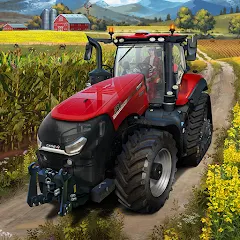
American Farming
SquishierCube
Updated
Oct 28, 2026
Category
Simulation
Installs
10M+
Rating
Updated
Oct 28, 2026
Category
Simulation
Developer
SquishierCube
Installs
10M+
Rating
Game Screenshots
Game Overview
Heartland Farm Life
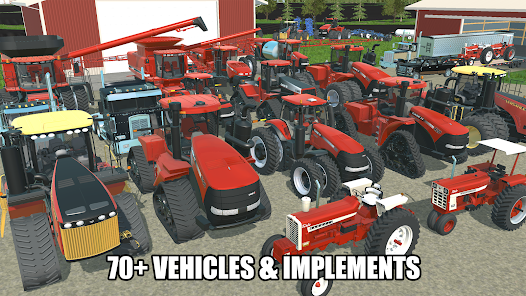
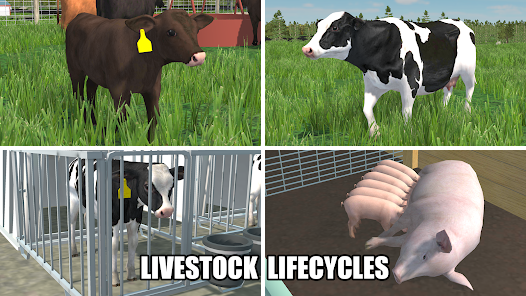
American Farming is a relaxing 3D farming simulator set in the peaceful countryside of the United States 🌾. Manage a family-style farm, grow a variety of crops, take care of livestock, and experience the rhythm of small-town rural life. Its calming visuals and laid-back atmosphere make it ideal for both quick play sessions and longer, unwind-and-play moments.
Deep Farming, Simple Controls
From plowing fields to transporting grain, most tasks are handled through smooth, intuitive driving and farming controls 🚜. Upgrade your machinery, manage fuel usage, and decide what to plant each season. It’s easy to pick up, but planning efficient routes and timing your work adds a rewarding layer of strategy.
Authentic American Countryside
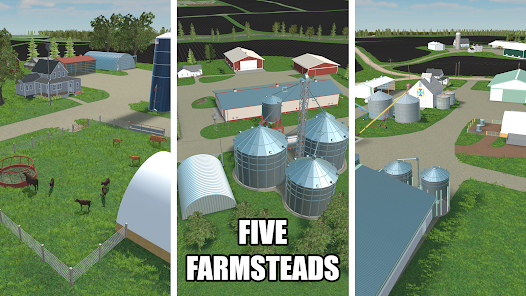
Explore a large open map inspired by real rural America: dusty dirt roads, wide open fields, red barns, silos, and quiet small towns 🏡. Dynamic day–night cycles, changing weather, and realistic engine sounds create an immersive yet comfortable farming experience.
Grow, Upgrade, and Chill
Sell your harvest to earn money, invest in better tractors, trucks, and equipment, and gradually expand your farmland 💰. Experiment with different crops, optimize your workflows, and build a farm that fits your playstyle—whether you prefer efficient management, relaxed driving, or scenic exploration.
How to Get Started
Step 1: Get Started on the Farm
Step 2: Start small with a basic tractor, a modest farm, and a few fields. Complete early missions, then begin planting, harvesting, and delivering goods to earn income and grow your farm 😎.
Step 3: Learn the Controls
Step 4: Use the virtual joystick or arrow controls to steer your vehicles.
Step 5: Tap the pedals to move forward or reverse.
Step 6: Keep an eye on fuel levels and speed to avoid accidents.
Step 7: Use action buttons (attach, detach, use tool) when near equipment.
Step 8: Prepare Your Field
Step 9: Drive your tractor to the selected field.
Step 10: Attach a plow or cultivator when prompted.
Step 11: Work through the field in straight lines to prepare the soil evenly.
Step 12: Check the minimap or field color indicators to track progress.
Step 13: Sow the Seeds
Step 14: Park near a seeder and attach it.
Step 15: Refill seeds at the supply station if needed.
Step 16: Drive across the prepared field to plant crops.
Step 17: Slight overlap helps ensure full coverage with no missed patches.
Step 18: Grow and Maintain
Step 19: Wait as crops grow over time in-game.
Step 20: Follow mission hints for fertilizing or additional field work.
Step 21: Use the recommended tools when prompted to improve yield.
Step 22: Harvest Like a Pro
Step 23: Switch to a harvester when crops are ready.
Step 24: Attach the header, enter the field, and harvest in neat rows.
Step 25: Unload grain into a truck or trailer when storage is full.
Step 26: Try not to leave unharvested patches—they reduce your profit.
Step 27: Sell, Upgrade, and Explore
Step 28: Drive loaded vehicles to the marked selling point on the map.
Step 29: Sell crops to earn money and unlock better machinery.
Step 30: Buy new equipment, expand your farmland, and take on more tasks.
Step 31: Explore the countryside, try different routes, and enjoy the scenery while working 🚚.
Download App
Star Ratings
More Games to Play














Disclaimer
Playcove is not affiliated with nor represents any developer, and is not the developer of any App or game.
Playcove solely collects and displays information from Google Play, including screenshots, historical version APK files, and download links.
All trademarks, registered trademarks, product names, company names, and logos appearing on this site are the property of their respective owners.
We guarantee the security of all APK files provided on our site and also provide official download links from Google Play and the App Store for your reference.