












Fish Eat Fish.io
Epic Plane Evolution

Spring Spear: Aim & Snap

Heartopia

Escalators

Love Tester - Find Real Love

Survivalcraft

Gangs Wars: Pixel Shooter RP

Weapon Master: Gun Shooter Run

Ride Master: Car Builder Game

ASMR Girl: Livestream Mukbang
Liu Sijin
Updated
Oct 28, 2026
Category
Casual
Installs
10M+
Rating
Updated
Oct 28, 2026
Category
Casual
Developer
Liu Sijin
Installs
10M+
Rating
Game Screenshots
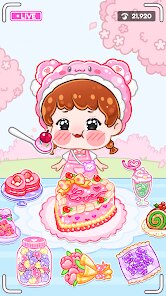
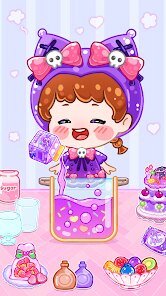
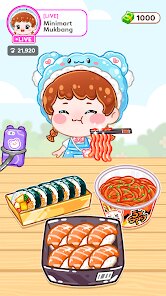
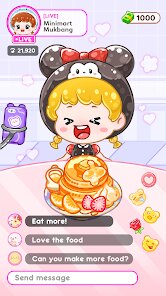
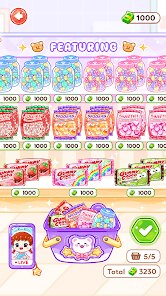
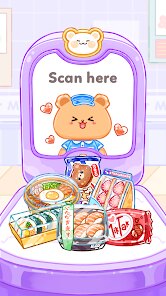
Game Overview
Cozy Mukbang Streaming World
Step into the shoes of a cute virtual streamer as she eats, chats, and hangs out with fans in real time. Melt your stress away with crunchy bites, slurpy noodles, and soothing whispers ✨ It's the perfect way to unwind after a long day.
Cute ASMR Vibes & Roleplay
Enjoy soft-spoken chats, kawaii reactions, and plenty of expressive emotes while she tackles streaming challenges. Watch her reply to comments, react to gifts, and keep the stream fun, cozy, and delightfully chaotic 😂
Food, Fashion & Room Makeovers
Collect a variety of delicious dishes, outfits, hairstyles, and room decor. Unlock fresh backgrounds, themed sets, and unique props to keep every live show eye-catching. The more stylish the setup, the more the fans will love it 💖
Streamer Growth & Fan Interaction
Manage stamina, schedule streams, and level up the channel step by step. Earn coins, boost your follower count, and unlock special events as the community grows. Every choice shapes her career, making each playthrough feel uniquely yours 📈
How to Get Started
Step 1: Getting Started 🚀
Step 2: Run a cute ASMR mukbang channel: choose yummy dishes, dress up your streamer, go live, interact with viewers, and upgrade her room. Tap, plan, and manage your time smartly to keep both the girl and her fans happy! 😋
Step 3: Start Your First Stream
Step 4: Launch the game and follow the beginner tutorial. Tap the “Live” button when prompted to start your very first mukbang session. Simply follow the highlighted buttons to get a feel for the basic gameplay flow.
Step 5: Choose Food and Setup
Step 6: Before going live, select a dish from the menu—like noodles, fried chicken, or desserts. Pick whatever looks delicious and fits your budget. Arrange the table and confirm your setup to start streaming.
Step 7: Dress Up the ASMR Girl
Step 8: Tap the wardrobe icon to change her outfits, hairstyles, and accessories. Try mixing and matching different styles to complement the food or event theme. Cute, on-theme looks are great for drawing in more viewers and gifts! 💅
Step 9: Interact With Viewers
Step 10: During the live show, tap on chat bubbles and gift icons as they pop up. Responding to them boosts her mood and viewer satisfaction. Don’t ignore your audience for too long, or their interest will start to drop! 😱
Step 11: Manage Stamina and Rewards
Step 12: After each stream, keep an eye on her stamina bar. Make sure to let her rest if she’s tired before kicking off another show. Use your earned coins and rewards to buy premium food, decorations, and new gear for higher-quality ASMR.
Step 13: Upgrade the Room & Grow Your Channel
Step 14: Tap the home or shop icons to upgrade furniture, lighting, and background sets. Every upgrade boosts your stream quality and income. Keep experimenting with different combos to see which setups attract the most fans and make each mukbang unforgettable! 🏠
Download App
Star Ratings
More Games to Play










Disclaimer
Playcove is not affiliated with nor represents any developer, and is not the developer of any App or game.
Playcove solely collects and displays information from Google Play, including screenshots, historical version APK files, and download links.
All trademarks, registered trademarks, product names, company names, and logos appearing on this site are the property of their respective owners.
We guarantee the security of all APK files provided on our site and also provide official download links from Google Play and the App Store for your reference.