












Fish Eat Fish.io
Epic Plane Evolution

Spring Spear: Aim & Snap

Heartopia

Escalators

Love Tester - Find Real Love

Survivalcraft

Gangs Wars: Pixel Shooter RP

Weapon Master: Gun Shooter Run

Ride Master: Car Builder Game
Avatar Maker Dress up for kids
Dress Up Game For Kids
Updated
Oct 28, 2026
Category
Kids
Installs
10M+
Rating
Updated
Oct 28, 2026
Category
Kids
Developer
Dress Up Game For Kids
Installs
10M+
Rating
Game Screenshots
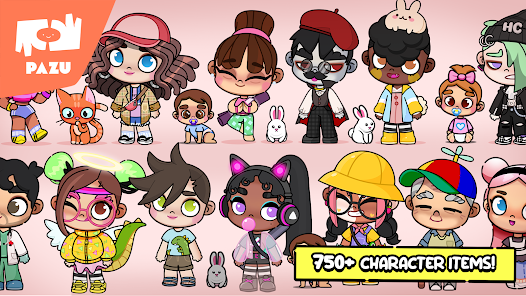
Game Overview
Cute Avatar Creator
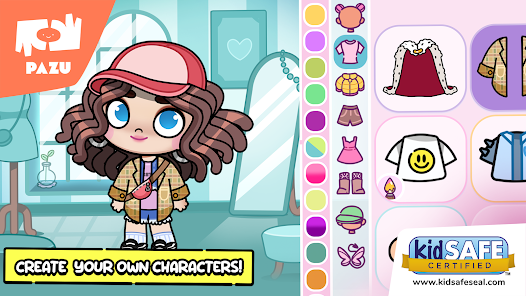
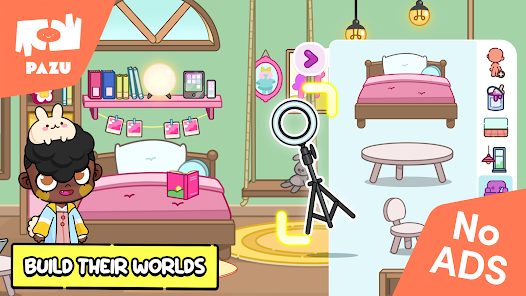
A colorful dress-up game where kids can create their own adorable cartoon characters 👧🧒. Mix and match faces, hairstyles, outfits, and accessories to design unique avatars for every mood, adventure, or story.
Endless Outfit Combinations
Browse a huge wardrobe filled with casual clothes, fantasy costumes, hats, shoes, and fun accessories 🎩. Every tap creates a brand-new look, making each character feel fresh, stylish, and full of personality.
Easy and Kid-Friendly
Bright visuals, simple controls, and lovable characters make the game easy for children to enjoy on their own or with friends 😊. No complicated menus—just tap, switch, and start creating.
Create, Save, and Share
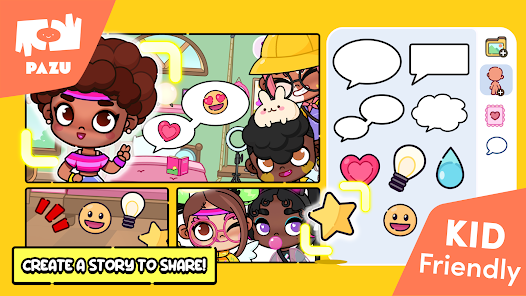
Save favorite avatars, invent fun stories, or share creations with family and friends 💖. Perfect for imaginative role-playing, making digital stickers, or simply enjoying a relaxing burst of creativity.
How to Get Started
Step 1: Getting Started
Step 2: Open the game and enter the avatar studio 🎨. Everything is controlled with simple taps and swipes, making it easy and fun for little hands to create colorful characters.
Step 3: Pick a Character
Step 4: From the main screen, choose a starter character or an empty slot. Tap it to enter the editor and begin designing a brand-new avatar.
Step 5: Customize the Face
Step 6: Open the face menu to adjust skin tone, eyes, eyebrows, and mouth. Tap the arrows or thumbnails to browse different expressions until you find the perfect look 😄.
Step 7: Choose a Hairstyle
Step 8: Go to the hair section to select hairstyles, bangs, and hair colors. Try as many combinations as you like—nothing is permanent, so you can change everything anytime.
Step 9: Dress Up Your Avatar
Step 10: Tap the clothing icon to browse shirts, dresses, pants, shoes, and more. Mix and match different pieces or choose complete outfits 👗. Keep tapping to explore every style available.
Step 11: Add Fun Accessories
Step 12: Visit the accessories menu to pick hats, glasses, bags, and other cute extras. Combine different items to match your avatar's personality, favorite colors, or imaginative stories 🌈.
Step 13: Save and Create More
Step 14: When your avatar is finished, tap the Save or checkmark button. Your creation is added to the gallery, ready for screenshots, storytelling, or creating even more fun characters with friends.
Download App
Star Ratings
More Games to Play
Disclaimer
Playcove is not affiliated with nor represents any developer, and is not the developer of any App or game.
Playcove solely collects and displays information from Google Play, including screenshots, historical version APK files, and download links.
All trademarks, registered trademarks, product names, company names, and logos appearing on this site are the property of their respective owners.
We guarantee the security of all APK files provided on our site and also provide official download links from Google Play and the App Store for your reference.