












Fish Eat Fish.io
Epic Plane Evolution

Spring Spear: Aim & Snap

Heartopia

Escalators

Love Tester - Find Real Love

Survivalcraft

Gangs Wars: Pixel Shooter RP

Weapon Master: Gun Shooter Run

Ride Master: Car Builder Game

Bloons TD 5
ninja kiwi
Updated
Oct 28, 2026
Category
Game
Installs
10M+
Rating
Updated
Oct 28, 2026
Category
Game
Developer
ninja kiwi
Installs
10M+
Rating
Game Screenshots
Game Overview
Colorful Tower Defense Chaos
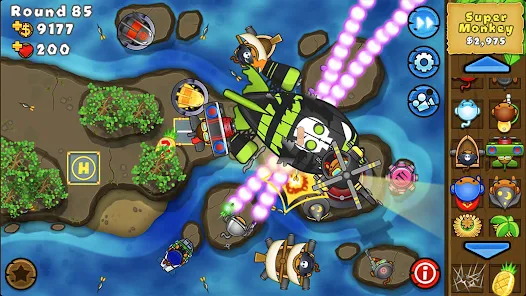
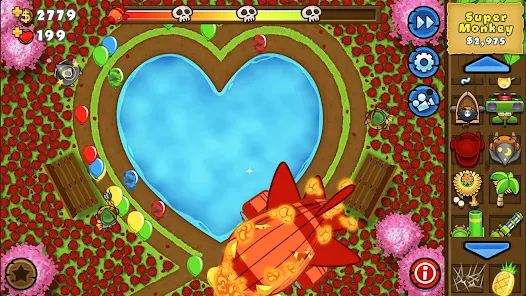
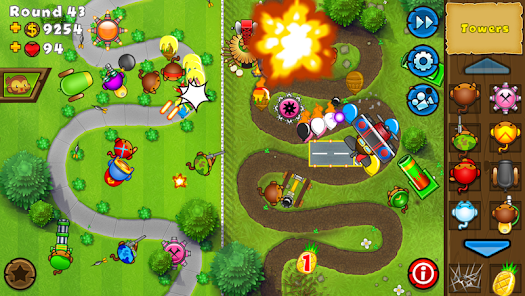
Bloons TD 5 is a vibrant, fast-paced tower defense game where mischievous bloons try to slip through winding paths while monkey towers work together to stop them 🎈🐵. It’s easy to pick up, but mastering the strategy takes real skill.
Simple Controls, Deep Strategy
With dozens of upgrade paths, special agents, and diverse maps, every match becomes a tactical mini-puzzle 😎. Place towers, upgrade abilities, and combine monkey defenses to shred incoming waves of bloons with satisfying efficiency.
Packed with Content & Replayability
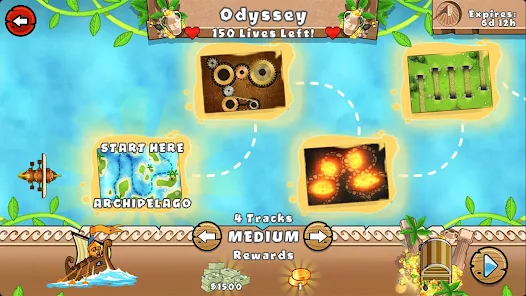
Multiple difficulty settings, daily challenges, and special missions keep gameplay fresh and engaging 💥. Short, replayable rounds make it perfect for both casual play sessions and more dedicated strategy runs.
Play Anytime, Even Offline
Offline support lets your defenses keep running without Wi-Fi 🚆. Smooth performance, intuitive controls, and charming animations make it welcoming for newcomers while still rewarding experienced tower defense fans.
How to Get Started
Step 1: Getting Started 🚀
Step 2: 🎈 Bloons TD 5 is a classic tower defense game where you place monkey towers along winding paths to stop waves of balloons from escaping. Pop bloons to earn cash, reinvest it into stronger defenses, and survive all rounds before your lives run out.
Step 3: Pick a Mode and Map
Step 4: 🗺️ Start with Beginner maps on Easy or Medium difficulty to get comfortable with the mechanics. These setups give you cheaper towers and slower bloons, making them ideal for learning core strategies.
Step 5: Deploy Your First Towers
Step 6: 🐒 Place early towers like Dart Monkeys or Tack Shooters near corners or long straight stretches. Smart positioning lets a single tower hit the same bloon multiple times, dramatically increasing efficiency.
Step 7: Launch Waves and Adapt
Step 8: ▶️ Hit the play button to start sending bloons through the track. Between rounds, pause if needed, reposition defenses, and upgrade key towers to prepare for tougher waves ahead.
Step 9: Upgrade with Purpose
Step 10: ⬆️ Tap any tower to view its upgrade paths and focus on strengthening a few core units rather than spreading resources too thin. Prioritize range, attack speed, and special abilities like camo or lead detection.
Step 11: Counter Special Bloon Types
Step 12: 👁️ Some bloons require specific counters—lead bloons need explosive or heat-based damage, while camo bloons require detection upgrades. Mixing tower types ensures no enemy slips through your defenses.
Step 13: Use Abilities and Build Economy
Step 14: 💰 Unlock powerful abilities and activate them during critical moments to turn the tide of battle. Also consider investing early in income-generating options like banana farms to secure a strong late-game economy.
Download App
Star Ratings
More Games to Play


















Disclaimer
Playcove is not affiliated with nor represents any developer, and is not the developer of any App or game.
Playcove solely collects and displays information from Google Play, including screenshots, historical version APK files, and download links.
All trademarks, registered trademarks, product names, company names, and logos appearing on this site are the property of their respective owners.
We guarantee the security of all APK files provided on our site and also provide official download links from Google Play and the App Store for your reference.