












Fish Eat Fish.io
Epic Plane Evolution

Spring Spear: Aim & Snap

Heartopia

Escalators

Love Tester - Find Real Love

Survivalcraft

Gangs Wars: Pixel Shooter RP

Weapon Master: Gun Shooter Run

Ride Master: Car Builder Game
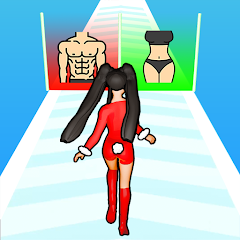
Build A Queen
Zhuyin Games
Updated
Oct 28, 2026
Category
Casual
Installs
10M+
Rating
Updated
Oct 28, 2026
Category
Casual
Developer
Zhuyin Games
Installs
10M+
Rating
Game Screenshots
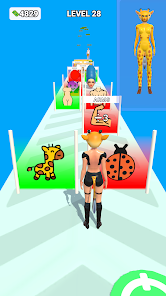
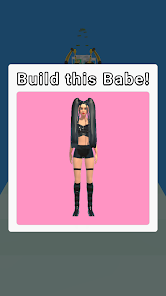
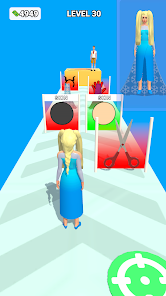
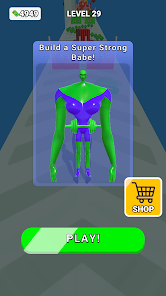
Game Overview
Glam Makeover Adventure
Build A Queen is a glow-up story game where a shy girl transforms into a stunning queen 👑. Mix fashion, makeup, and style choices to change her look and destiny in a light, funny, and playful way.
Dress-Up & Styling Fun
Experiment with trendy outfits, shoes, hairstyles, and accessories to create your own unique vibe ✨. From cute and soft to bold and glamorous, every choice affects how the heroine looks and how others respond.
Story With Attitude
Dive into school drama, rivalries, and crush-filled moments 💌. Complete levels, unlock new scenes, and watch the main character grow more confident as her makeover journey unfolds.
Easy, Addictive Gameplay
Short levels, simple controls, and quick rewards keep the experience relaxing and satisfying 😎. Perfect for passing time, enjoying over-the-top transformations, and sharing funny looks with friends.
How to Get Started
Step 1: Quick Start Guide
Step 2: Tap, swipe, and drag to style the girl and complete glow-up challenges. Follow level objectives, choose the best options, and unlock new items as the queen’s journey unfolds 👠.
Step 3: Start a New Level
Step 4: Tap a level icon on the map or main screen. Read the short hint at the top to understand the goal, such as a makeover, outfit change, or social scene.
Step 5: Pick Outfits
Step 6: When clothing options appear, tap dresses, tops, skirts, or shoes to preview them on the character. Confirm your choice with the checkmark or keep swapping until it feels right.
Step 7: Apply Makeup
Step 8: Use simple taps to select lipstick, eyeshadow, blush, and more 💄. Slide or tap different colors to see instant changes, then lock in the look when you’re happy with it.
Step 9: Choose Hairstyles & Accessories
Step 10: Tap different hairstyles to switch styles instantly. Add earrings, bags, glasses, or crowns by selecting accessory icons and watch the queen vibe level increase.
Step 11: Make Story Choices
Step 12: Sometimes dialogue or decision cards will appear. Tap the option that matches the desired attitude (cute, bold, or elegant) to shape reactions, scenes, and future looks.
Step 13: Finish & Unlock Rewards
Step 14: After completing a level, check the result screen, collect coins or new items, then tap continue to move forward and unlock more outfits, scenes, and glow-up challenges ✨.
Download App
Star Ratings
More Games to Play


Disclaimer
Playcove is not affiliated with nor represents any developer, and is not the developer of any App or game.
Playcove solely collects and displays information from Google Play, including screenshots, historical version APK files, and download links.
All trademarks, registered trademarks, product names, company names, and logos appearing on this site are the property of their respective owners.
We guarantee the security of all APK files provided on our site and also provide official download links from Google Play and the App Store for your reference.