












Fish Eat Fish.io
Epic Plane Evolution

Spring Spear: Aim & Snap

Heartopia

Escalators

Love Tester - Find Real Love

Survivalcraft

Gangs Wars: Pixel Shooter RP

Weapon Master: Gun Shooter Run

Ride Master: Car Builder Game
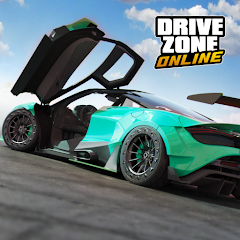
Drive Zone Online: Car Game
Jet Games FZ-LLC
Updated
Oct 28, 2026
Category
Racing
Installs
10M+
Rating
Updated
Oct 28, 2026
Category
Racing
Developer
Jet Games FZ-LLC
Installs
10M+
Rating
Game Screenshots
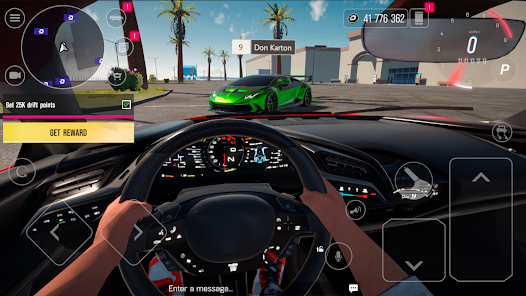
Game Overview
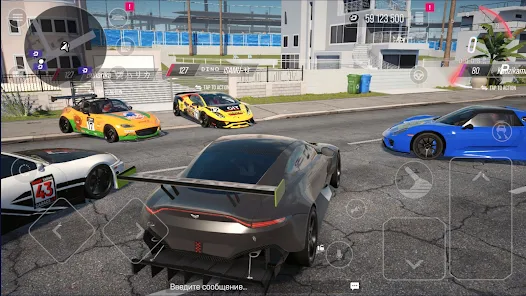
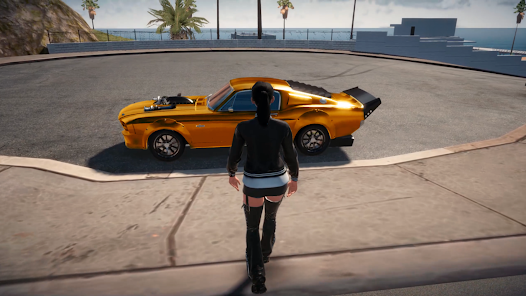
Open-World Street Racing
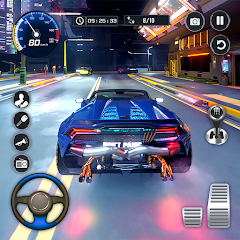
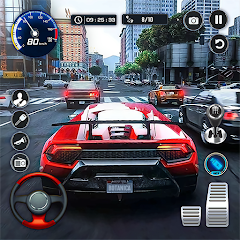
Drive Zone Online: Car Game is a massive open-world driving experience where cities, highways, and race tracks connect into one seamless map 🌎. Cruise freely, race at high speeds, or simply enjoy the city lights while showing off your dream cars.
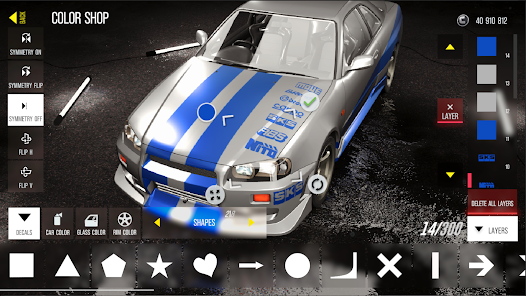
Deep Car Customization Garage
Build and tune your ideal vehicle from a huge selection of cars 🚗💨. Adjust performance, change wheels, apply wraps, install body kits, and fine-tune suspension to create a ride that matches your style.
Live Online Multiplayer Fun
Join real-time multiplayer lobbies with players worldwide 👥. Race, drift, cruise together, or host private meetups. Show off stunts like donuts, drag races, and clean drifts, and share your best moments in-game.
Realistic Yet Easy Driving
Enjoy smooth physics, detailed visuals, and multiple camera angles 🎮. The driving feels realistic enough for enthusiasts but remains simple enough for beginners to jump in and enjoy instantly.
How to Get Started
Step 1: Getting Started
Step 2: Drive Zone Online: Car Game is an open-world multiplayer racer where you unlock cars, customize them, and take part in races, drift events, and free roam exploration in a shared city 🏙️.
Step 3: Download and Sign In
Step 4: Install the game from Google Play and launch it. Choose guest or account login to save progress, then complete the intro tutorial.
Step 5: Pick Your First Car
Step 6: Start with the beginner vehicle in the garage. Check stats like speed and handling, then confirm your choice to enter the open world.
Step 7: Learn the Controls
Step 8: Steer using on-screen buttons or tilt controls. Use gas to accelerate, brake to slow down, and handbrake for drifting around corners.
Step 9: Explore the Open World
Step 10: Drive freely across the city, highways, and tracks. Follow map icons to locate races and events, and avoid heavy crashes to keep your car in shape 😉
Step 11: Join Races and Events
Step 12: Open the map, select race or drift events, choose difficulty, and compete. Finish in top positions to earn rewards and experience.
Step 13: Upgrade and Play Online
Step 14: Return to the garage to upgrade cars and customize appearance. Join online rooms, invite friends, and showcase your best driving skills 😎.
Download App
Star Ratings
More Games to Play

Disclaimer
Playcove is not affiliated with nor represents any developer, and is not the developer of any App or game.
Playcove solely collects and displays information from Google Play, including screenshots, historical version APK files, and download links.
All trademarks, registered trademarks, product names, company names, and logos appearing on this site are the property of their respective owners.
We guarantee the security of all APK files provided on our site and also provide official download links from Google Play and the App Store for your reference.