












Fish Eat Fish.io
Epic Plane Evolution

Spring Spear: Aim & Snap

Heartopia

Escalators

Love Tester - Find Real Love

Survivalcraft

Gangs Wars: Pixel Shooter RP

Weapon Master: Gun Shooter Run

Ride Master: Car Builder Game
Farming USA 2
Bowen Games LLC
Updated
Oct 28, 2026
Category
Simulation
Installs
10M+
Rating
Updated
Oct 28, 2026
Category
Simulation
Developer
Bowen Games LLC
Installs
10M+
Rating
Game Screenshots
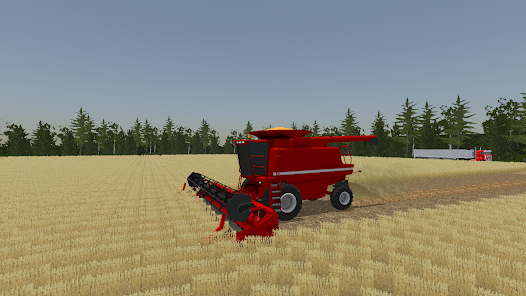
Game Overview
Open-World American Farming Simulator
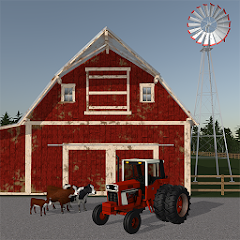
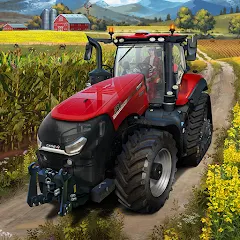
Farming USA 2 is a relaxed open-world farming simulation set in a detailed rural America 🚜. Drive tractors, trucks, and harvesters across large fields, haul crops to town, and experience a slow-paced but immersive country life sandbox.
Realistic Machinery Experience
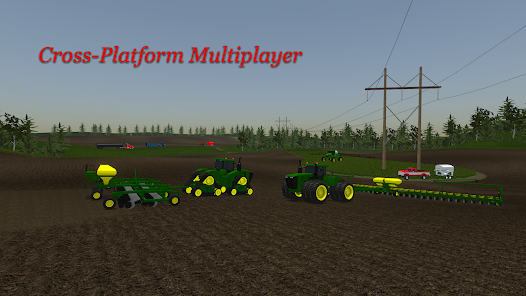
Operate a wide range of farming vehicles with working lights, hitches, and attachments 🧰. Connect equipment, fold implements, and watch fields transform as you plow, seed, and harvest with realistic animations.
Grow, Harvest, and Expand
Plant crops, wait for them to grow, then harvest and sell for profit 💰. Reinvest earnings into larger machinery, new farmland, and upgraded facilities to grow from a small farm into a full agricultural operation.
Relaxed and Satisfying Gameplay
No timers or pressure—just driving, farming, and managing at your own pace 😎. Enjoy long drives, full harvest loads, and the steady satisfaction of building a productive farm.
How to Get Started
Step 1: Getting Started 🚜
Step 2: Start with a small farm, basic machines, and a few fields. Explore the map, learn vehicle controls, and gradually take on full farming operations.
Step 3: Move and Explore
Step 4: Use on-screen controls to drive, reverse, and steer vehicles. Adjust the camera to get a clear view of fields and roads while practicing smooth driving.
Step 5: Enter and Switch Vehicles
Step 6: Walk up to any owned machine and tap to enter it. Use the vehicle switch function to quickly swap between tractors, trucks, and harvesters during jobs.
Step 7: Attach Implements and Operate Equipment
Step 8: Reverse toward tools like plows, trailers, or seeders until the hitch icon appears. Attach them, then use controls to raise, lower, or activate equipment.
Step 9: Prepare and Plant Fields
Step 10: Plow or cultivate land first, then switch to a planter or seeder. Drive in straight lines across fields to ensure full coverage and efficient planting.
Step 11: Harvest and Transport Crops
Step 12: Use a combine harvester to collect mature crops, then unload into trailers. Transport goods back to storage or sell points in town for profit.
Step 13: Sell, Upgrade, and Expand
Step 14: Compare market prices and sell crops where profits are highest. Use income to buy better machinery, expand farmland, and explore new routes and fields.
Download App
Star Ratings
More Games to Play















Disclaimer
Playcove is not affiliated with nor represents any developer, and is not the developer of any App or game.
Playcove solely collects and displays information from Google Play, including screenshots, historical version APK files, and download links.
All trademarks, registered trademarks, product names, company names, and logos appearing on this site are the property of their respective owners.
We guarantee the security of all APK files provided on our site and also provide official download links from Google Play and the App Store for your reference.