












Fish Eat Fish.io
Epic Plane Evolution

Spring Spear: Aim & Snap

Heartopia

Escalators

Love Tester - Find Real Love

Survivalcraft

Gangs Wars: Pixel Shooter RP

Weapon Master: Gun Shooter Run

Ride Master: Car Builder Game

Five Nights at Freddy's 2
Scott Cawthon
Updated
Oct 28, 2026
Category
Horror
Installs
10M+
Rating
Updated
Oct 28, 2026
Category
Horror
Developer
Scott Cawthon
Installs
10M+
Rating
Game Screenshots
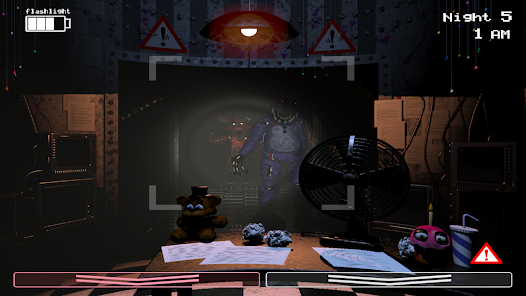
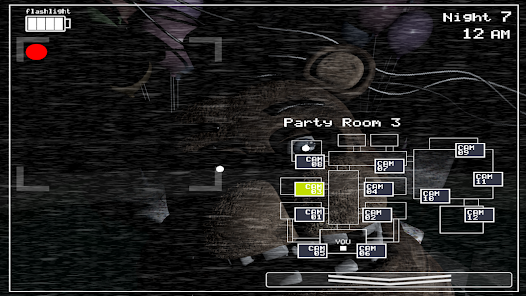
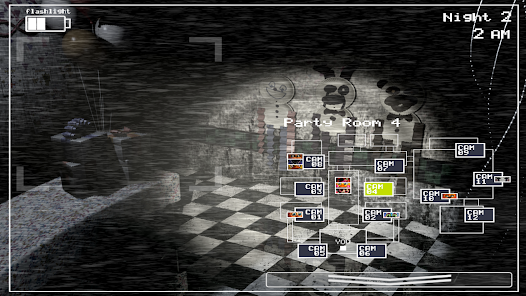
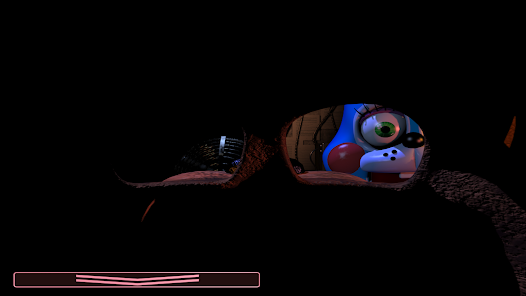
Game Overview
A Terrifying Return to Freddy Fazbear's Pizza 👀
The night shift begins again at the infamous Freddy Fazbear's Pizza, now filled with brand-new animatronics alongside the old, damaged ones lurking in the shadows. Monitor security cameras, manage your defenses, and survive relentless jump scares in this suspense-filled horror adventure.
Animatronics That Never Stay Still 😱
The friendly mascots are anything but harmless. Each animatronic follows its own unpredictable behavior, keeping every night tense and exciting. New characters like Toy Bonnie and Balloon Boy join familiar favorites, creating fresh challenges around every corner.
Intense Survival From a Single Office 🎭
There's nowhere to run—everything takes place inside one security office. Rely on surveillance cameras, hallway lights, and the Freddy mask to outsmart the animatronics as they come to you, turning every decision into a nerve-racking test of survival.
A Must-Play for Horror and Mystery Fans 📖
Every shift delivers suspense while revealing more of the pizzeria's dark history. Packed with jump scares, hidden secrets, and unforgettable close calls, it's the perfect game for players who love horror and sharing those "I barely survived until 6 AM!" moments with friends. 😂
How to Get Started
Step 1: Basic Gameplay
Step 2: Play as the new night guard and survive from 12 AM to 6 AM by watching security cameras, wearing the Freddy mask, and managing the flashlight and music box. One mistake can bring an animatronic face-to-face with you. 😅
Step 3: Learn the Office Layout
Step 4: Stay inside the security office, with vents on both sides and a hallway directly ahead. Memorize every entrance so you can react instantly instead of hesitating when danger appears.
Step 5: Monitor the Security Cameras
Step 6: Tap the camera button to switch between rooms. Keep a close eye on the Prize Corner for the music box while regularly checking the hallway and vent routes. Don't spend too much time on the monitor, or you'll miss approaching threats.
Step 7: Keep the Music Box Wound
Step 8: Open the camera system and switch to the Prize Corner. Hold the wind button to keep the music box playing. 🎵 Never let it run out completely, or a certain animatronic will end your night in seconds. Keeping the music box active should always be your highest priority.
Step 9: Use the Freddy Mask at the Right Time
Step 10: If an animatronic enters your office or reaches a vent opening, quickly put on the Freddy Fazbear mask. 🎭 Leave it on until the threat moves away. Waiting even a moment too long can almost guarantee a jump scare.
Step 11: Check the Hallway With Your Flashlight
Step 12: Use the flashlight to inspect the hallway in front of the office. Flash it in short bursts to reveal approaching animatronics. Some enemies can be driven back with the light, but overusing it will quickly drain your battery.
Step 13: Master the Routine and Survive
Step 14: Each new night becomes more difficult as the animatronics grow faster and more aggressive. Listen carefully for audio cues and movement sounds. 🎧 Develop a steady routine: wind the music box, check the hallway, inspect both vents, use the Freddy mask when needed, and repeat until 6 AM. Stay alive, unlock tougher nights, and try not to scream too loudly. 😜
Download App
Star Ratings
More Games to Play














Disclaimer
Playcove is not affiliated with nor represents any developer, and is not the developer of any App or game.
Playcove solely collects and displays information from Google Play, including screenshots, historical version APK files, and download links.
All trademarks, registered trademarks, product names, company names, and logos appearing on this site are the property of their respective owners.
We guarantee the security of all APK files provided on our site and also provide official download links from Google Play and the App Store for your reference.