












Fish Eat Fish.io
Epic Plane Evolution

Spring Spear: Aim & Snap

Heartopia

Escalators

Love Tester - Find Real Love

Survivalcraft

Gangs Wars: Pixel Shooter RP

Weapon Master: Gun Shooter Run

Ride Master: Car Builder Game
Free Fire
Garena International I
Updated
Oct 28, 2026
Category
Action
Installs
10M+
Rating
Updated
Oct 28, 2026
Category
Action
Developer
Garena International I
Installs
10M+
Rating
Game Screenshots
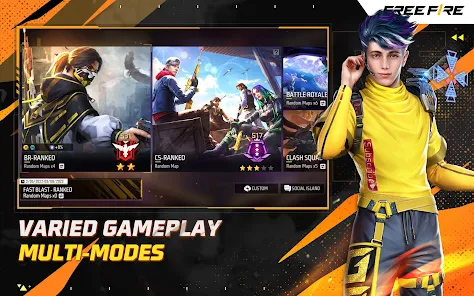
Game Overview
Battle Royale Survival
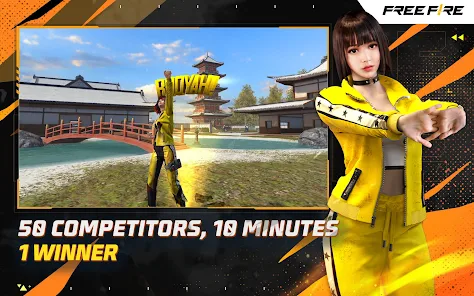
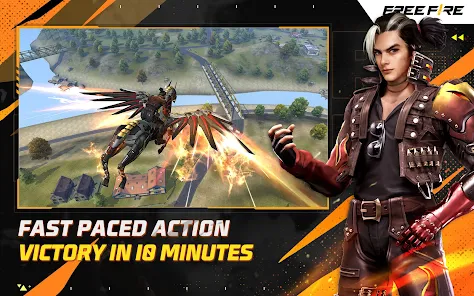
Free Fire is a fast-paced battle royale where 50 players parachute onto a remote island and compete to become the last survivor 😎. With matches lasting around 10 minutes, it's perfect for quick, action-packed gaming sessions on mobile.
Unique Characters and Abilities
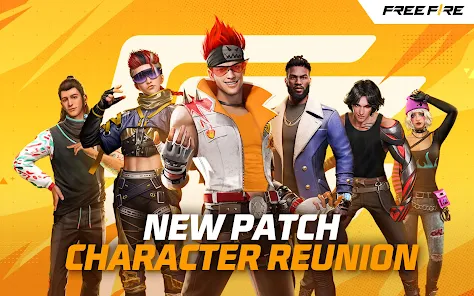
Each character comes with a special skill, from healing bonuses to increased movement speed 💥. Combine different characters and pets to create unique strategies, adding extra depth to every battle.
Maps, Modes, and Special Events
Explore multiple maps, climb the ranked ladder, battle in Clash Squad 4v4, and enjoy rotating limited-time events 🎯. Seasonal updates, new gear, and exciting game modes keep every login fresh and rewarding.
Easy to Learn, Challenging to Master
Simple controls, auto-loot, and aim assist help new players jump into the action right away 👍. At the same time, mastering recoil control, positioning, timing, and teamwork provides a rewarding challenge for experienced players.
How to Get Started
Step 1: Getting Started
Step 2: Free Fire is a fast-paced mobile shooter where players parachute onto an island, gather weapons and supplies, and battle to survive as the safe zone shrinks 🕹️. Follow these steps to improve your chances of winning.
Step 3: Install and Sign In
Step 4: Download Free Fire, launch the game, and sign in with a guest account or link your Google or Facebook account. Set your preferred language and region for smoother matchmaking.
Step 5: Adjust Your Settings
Step 6: Open Settings to customize Sensitivity, Graphics, and Controls. Choose Smooth or Standard graphics on lower-end devices, enable auto-loot, and arrange the HUD so aiming, jumping, and crouching feel comfortable.
Step 7: Pick a Mode and Character
Step 8: Tap Start and choose Battle Royale or Clash Squad. Select a beginner-friendly character with helpful abilities, such as extra healing or HP, then equip simple pets and skill combinations for useful bonuses.
Step 9: Land and Loot Efficiently
Step 10: Choose a quieter landing spot instead of crowded hot zones. Once on the ground, quickly collect weapons, armor, backpacks, and medkits. Use auto-loot, but drop unnecessary ammo or weaker weapons to keep your inventory efficient.
Step 11: Fight Smart and Stay Safe
Step 12: Use buildings, trees, and walls as cover during firefights. Aim carefully, fire in short bursts, and deploy Gloo Walls when caught in the open. After each fight, heal up, repair your armor, and rotate toward the next safe zone early.
Step 13: Work Together
Step 14: In Squad mode, use voice chat or quick messages to coordinate with teammates. Divide roles like rusher, sniper, or support, share supplies, revive teammates behind cover, and stick together to improve your chances of winning 😏.
Download App
Star Ratings
More Games to Play




Disclaimer
Playcove is not affiliated with nor represents any developer, and is not the developer of any App or game.
Playcove solely collects and displays information from Google Play, including screenshots, historical version APK files, and download links.
All trademarks, registered trademarks, product names, company names, and logos appearing on this site are the property of their respective owners.
We guarantee the security of all APK files provided on our site and also provide official download links from Google Play and the App Store for your reference.