












Fish Eat Fish.io
Epic Plane Evolution

Spring Spear: Aim & Snap

Heartopia

Escalators

Love Tester - Find Real Love

Survivalcraft

Gangs Wars: Pixel Shooter RP

Weapon Master: Gun Shooter Run

Ride Master: Car Builder Game
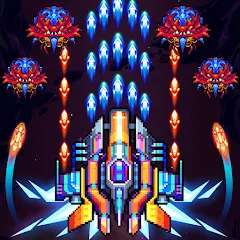
Galaxiga Arcade Shooting Game
ONESOFT
Updated
Oct 28, 2026
Category
Arcade
Installs
10M+
Rating
Updated
Oct 28, 2026
Category
Arcade
Developer
ONESOFT
Installs
10M+
Rating
Game Screenshots
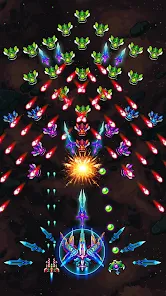
Game Overview
Retro Space Blaster Adventure
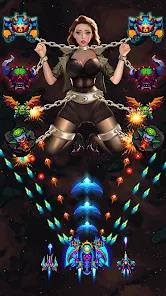
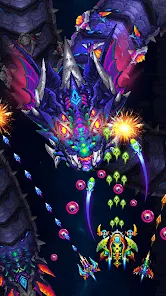
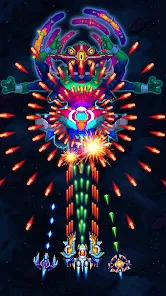
Galaxiga Arcade Shooting Game is a classic-inspired arcade shooter where a small starship battles massive alien swarms 🚀. With fast vertical scrolling action, glowing explosions, and constant bullet storms, it blends old-school arcade vibes with modern effects. Easy to start, but increasingly challenging to master.
Addictive Bullet Hell Fun
Each run is packed with dodging, upgrading, and intense boss fights 🔥. Enemy waves come with unique attack patterns, keeping every stage dynamic and engaging. Short, high-intensity sessions make it great for quick breaks or long arcade-style play sessions.
Upgradeable Spaceships & Heroes
Collect coins, gems, and rewards to unlock new ships and pilots 😎. Each comes with different stats and abilities. Upgrade attack power, boost shields, and customize your fighting style as your weak starter ship evolves into a powerful galaxy destroyer.
Offline-Friendly & Multiple Modes
Play anytime without an internet connection ✈️. Enjoy campaign stages, endless survival, challenge missions, and boss rush modes. Daily rewards, events, and missions add extra progression goals, making the experience both casual-friendly and deeply rewarding.
How to Get Started
Step 1: Basic Gameplay Overview
Step 2: Control a small spaceship at the bottom of the screen while it automatically fires at incoming enemies 🎮. Focus on movement, dodging bullets, collecting power-ups, and defeating bosses. Progress through stages, upgrade your ship, and repeat to grow stronger.
Step 3: Start the Game & Choose a Mode
Step 4: Open Galaxiga Arcade Shooting Game and tap Play. Start with Campaign/Story mode to learn the basics. Once comfortable, try Endless or Boss modes for greater challenges.
Step 5: Pick Your Ship and Pilot
Step 6: Select a ship and optional pilot with unique abilities. Beginners should stick with the default ship. As more unlock, compare stats like attack, HP, and skills before confirming your choice.
Step 7: Use Simple Touch Controls
Step 8: Drag your finger to move the ship across the screen. It shoots automatically, so focus on positioning and survival. Avoid bullets and enemies while collecting power-ups safely.
Step 9: Collect Power-Ups and Items
Step 10: Grab floating upgrades like spread shots, lasers, shields, and coins. Risky pickups can be tempting, but survival is more important than grabbing everything in dangerous moments.
Step 11: Activate Special Skills and Bombs
Step 12: Use bomb or skill buttons during crowded bullet patterns or boss attacks 💣. These abilities clear the screen or deal heavy damage but have limited use, so time them wisely.
Step 13: Upgrade Between Battles
Step 14: After each stage, visit the hangar or upgrade menu. Spend resources to improve attack, HP, and abilities. Unlock stronger ships and pilots to make future runs easier and more powerful.
Download App
Star Ratings
More Games to Play





Disclaimer
Playcove is not affiliated with nor represents any developer, and is not the developer of any App or game.
Playcove solely collects and displays information from Google Play, including screenshots, historical version APK files, and download links.
All trademarks, registered trademarks, product names, company names, and logos appearing on this site are the property of their respective owners.
We guarantee the security of all APK files provided on our site and also provide official download links from Google Play and the App Store for your reference.