












Fish Eat Fish.io
Epic Plane Evolution

Spring Spear: Aim & Snap

Heartopia

Escalators

Love Tester - Find Real Love

Survivalcraft

Gangs Wars: Pixel Shooter RP

Weapon Master: Gun Shooter Run

Ride Master: Car Builder Game

Garten of Banban 6
Euphoric Brothers
Updated
Oct 28, 2026
Category
Horror
Installs
10M+
Rating
Updated
Oct 28, 2026
Category
Horror
Developer
Euphoric Brothers
Installs
10M+
Rating
Game Screenshots

Game Overview
A Chilling Kindergarten Mystery 👀
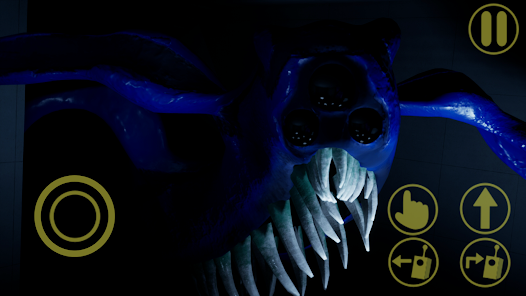
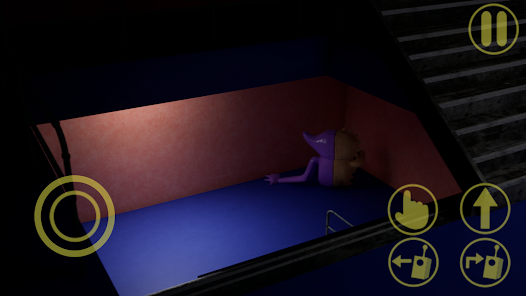
Step into a story-driven horror adventure set inside the abandoned Banban's Kindergarten. Explore the facility's deeper levels, uncover the fate of the missing children, and survive terrifying experiments hidden in the darkness.
Explore a World Filled With Suspense 😈
Search through eerie classrooms, laboratories, and underground corridors packed with clues, hidden passages, and unexpected jump scares. Every room could reveal an important secret—or a terrifying creature waiting just out of sight.
Solve Puzzles With the Help of Your Drone 🤖
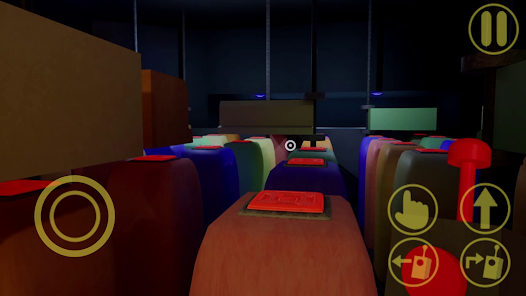
Complete environmental puzzles by collecting keycards, discovering codes, and using special tools to unlock new areas. Your drone can activate distant switches, scout dangerous locations, and interact with objects while keeping you out of harm's way.
Survive and Uncover the Truth 🎭
Choose your routes carefully, avoid deadly enemies, and gather scattered notes to piece together the mystery. Each new chapter introduces darker locations, unsettling characters, and surprising story twists that make the adventure even more suspenseful.
How to Get Started
Step 1: Basic Gameplay
Step 2: Play as an investigator trapped inside Banban's Kindergarten. Explore the abandoned facility, collect useful items, operate a helper drone, and survive terrifying encounters while uncovering the story.
Step 3: Begin a New Adventure
Step 4: Launch the game and select "New Game." Adjust the brightness and audio settings for the best visibility and atmosphere. Turning on subtitles also makes it easier to follow important story clues.
Step 5: Learn the Controls
Step 6: Use the on-screen joystick or WASD keys to move, and look around by dragging the screen or moving the mouse. Search every doorway, ceiling, and corner, as important objects often stand out with subtle visual cues.
Step 7: Use Your Drone Effectively
Step 8: Once you obtain the remote, activate the drone whenever needed. 🛸 Guide it toward highlighted targets to press distant buttons, activate switches, and reach areas that are too dangerous or inaccessible.
Step 9: Gather Key Items and Keycards
Step 10: Walk over items to collect them automatically. Colored keycards unlock matching doors, so search desks, shelves, terminals, and hidden spots carefully. Missing a key item can prevent you from progressing.
Step 11: Solve Each Puzzle Carefully
Step 12: Read notes, examine blackboards, and inspect computer monitors for clues. Match symbols, colors, or numbers found throughout the environment. 🧩 If you're stuck, revisit recently explored rooms—important hints are usually close by.
Step 13: Avoid Enemies and Stay Alive
Step 14: Stay alert for unusual sounds, footsteps, or other warning signs. 😱 When a creature appears, run, hide behind objects, or follow the on-screen escape prompts. If you're caught, you'll restart from the latest checkpoint, giving you another chance to learn enemy patterns and move forward.
Download App
Star Ratings
More Games to Play
















Disclaimer
Playcove is not affiliated with nor represents any developer, and is not the developer of any App or game.
Playcove solely collects and displays information from Google Play, including screenshots, historical version APK files, and download links.
All trademarks, registered trademarks, product names, company names, and logos appearing on this site are the property of their respective owners.
We guarantee the security of all APK files provided on our site and also provide official download links from Google Play and the App Store for your reference.