












Fish Eat Fish.io
Epic Plane Evolution

Spring Spear: Aim & Snap

Heartopia

Escalators

Love Tester - Find Real Love

Survivalcraft

Gangs Wars: Pixel Shooter RP

Weapon Master: Gun Shooter Run

Ride Master: Car Builder Game
Geometry Dash
RobTop Games
Updated
Oct 28, 2026
Category
Arcade
Installs
10M+
Rating
Updated
Oct 28, 2026
Category
Arcade
Developer
RobTop Games
Installs
10M+
Rating
Game Screenshots
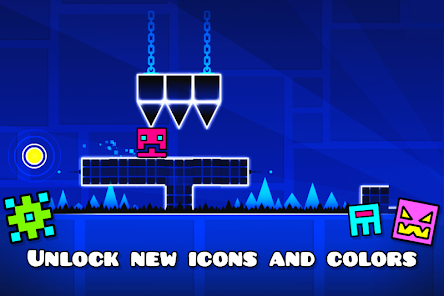
Game Overview
Fast-Paced Rhythm Platforming
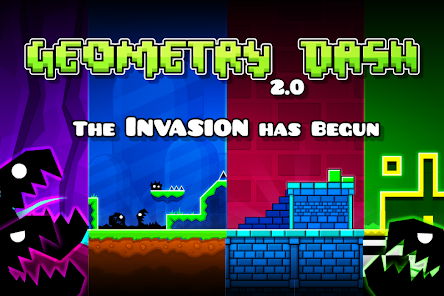
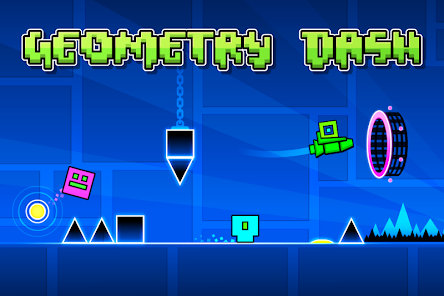
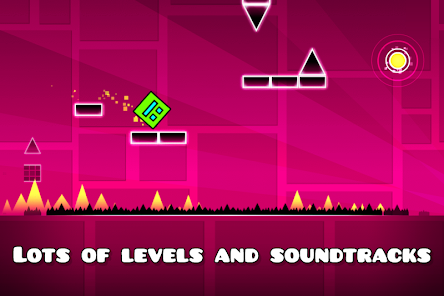
Geometry Dash is an exciting rhythm platformer where a tiny cube races through vibrant neon worlds perfectly synchronized with energetic music 🎵. Every jump, flight, and gravity shift matches the beat, turning each level into an action-packed musical adventure.
Easy Controls, Tough Challenges
Simple one-touch controls let players tap to jump or hold to fly ✈️. While the mechanics are easy to learn, every obstacle demands precise timing. As the levels become more difficult, quick reflexes, sharp memory, and steady focus are put to the test.
Packed with Creative Levels
Challenge official stages or dive into thousands of community-created levels filled with spikes, portals, gravity changes, and unique mechanics 😎. Practice Mode lets players master difficult sections without restarting an entire level.
Customize and Keep Improving
Unlock new icons, colors, ships, and trails to personalize every run 🎨. Hunt for secret coins, earn achievements, and beat personal bests, giving each playthrough plenty of reasons to come back for one more attempt.
How to Get Started
Step 1: Basic Gameplay
Step 2: Tap to make the cube jump over spikes, gaps, and deadly obstacles. Reach the end of each level without crashing. Success depends on precise timing rather than speed, and the music provides valuable cues for every jump 🎧.
Step 3: Begin with an Easy Level
Step 4: Start with the first official level, Stereo Madness, to learn the basics. Its simple layout introduces jumping, rhythm, and obstacle timing without overwhelming new players.
Step 5: Master the Controls
Step 6: On mobile, tap anywhere on the screen to jump, or hold to keep the character airborne through longer sequences. On PC, use the spacebar or mouse button. Release at the right moment to land safely and avoid obstacles.
Step 7: Follow the Rhythm
Step 8: Listen carefully to the soundtrack and pay attention to repeating patterns. Most obstacles are synchronized with the music, so moving with the beat makes it much easier to anticipate jumps instead of reacting at the last second 😄.
Step 9: Practice Difficult Sections
Step 10: Open the pause menu and switch to Practice Mode. Checkpoints are placed automatically, allowing instant respawns after every crash. Use this mode to master challenging sections before attempting the full level in Normal Mode.
Step 11: Learn Every Gameplay Form
Step 12: Passing through portals changes the cube's size, gravity, or form. Transform into a ship, ball, UFO, and other unique modes 🚀. Each one controls differently, so take time to learn how every transformation behaves.
Step 13: Improve One Level at a Time
Step 14: Focus on completing easier stages before tackling the toughest challenges. Collect secret coins, replay difficult sections, and gradually increase the difficulty. Stay patient, enjoy the music, and sharpen your timing with every attempt 😉.
Download App
Star Ratings
More Games to Play



Disclaimer
Playcove is not affiliated with nor represents any developer, and is not the developer of any App or game.
Playcove solely collects and displays information from Google Play, including screenshots, historical version APK files, and download links.
All trademarks, registered trademarks, product names, company names, and logos appearing on this site are the property of their respective owners.
We guarantee the security of all APK files provided on our site and also provide official download links from Google Play and the App Store for your reference.