












Fish Eat Fish.io
Epic Plane Evolution

Spring Spear: Aim & Snap

Heartopia

Escalators

Love Tester - Find Real Love

Survivalcraft

Gangs Wars: Pixel Shooter RP

Weapon Master: Gun Shooter Run

Ride Master: Car Builder Game
GRID™ Autosport
Feral Interactive
Updated
Oct 28, 2026
Category
Racing
Installs
10M+
Rating
Updated
Oct 28, 2026
Category
Racing
Developer
Feral Interactive
Installs
10M+
Rating
Game Screenshots
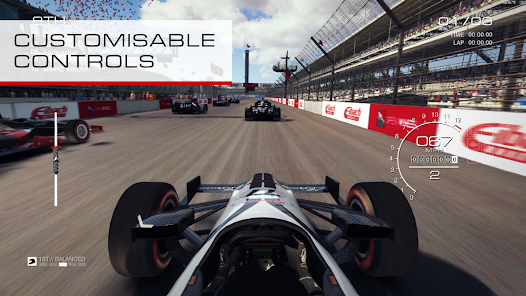
Game Overview
High-Octane Racing Simulator
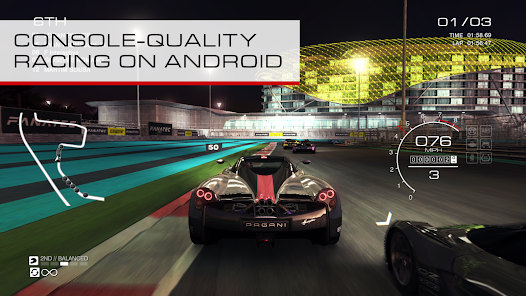
GRID™ Autosport is a premium racing experience that blends realistic simulation with accessible arcade-style driving ⚡. Take the wheel of authentic race cars, compete on real-world-inspired circuits, and enjoy the intensity of professional motorsport without unnecessary grind or pay-to-win systems.
Deep Career, Zero Nonsense
Choose a racing discipline and climb from rookie to pro through a structured career mode. From touring car battles to endurance races, every event matters. Skilled AI opponents create intense but fair competition that rewards consistency and precision 😈.
Massive Car & Track Variety
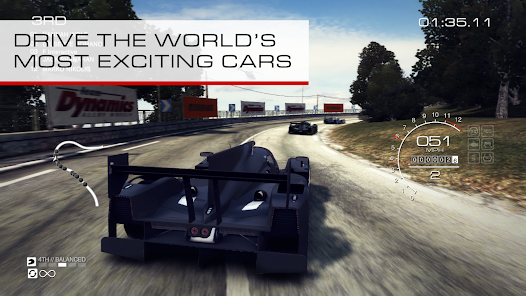
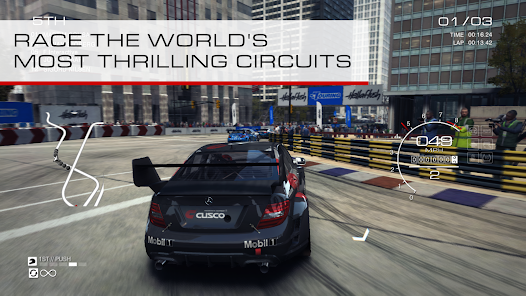
Drive a wide selection of licensed vehicles across diverse environments, including city streets, classic tracks, and night-time circuits 🚗💨. Each car handles differently, making every lap, corner, and overtake feel unique and skill-based.
Premium Experience, No Ads
A complete one-time purchase experience with no ads, energy systems, or loot boxes. Full controller support and customizable settings let players fine-tune the game for either realistic simulation or more accessible driving comfort 🎮.
How to Get Started
Step 1: Getting Started
Step 2: Install the game, download required data, then launch and adjust language, graphics, and controls. Start with Career Mode to learn mechanics while unlocking cars and events.
Step 3: Choose Control Style
Step 4: Select tilt, touch, on-screen buttons, or controller input. Test each option in quick races and adjust steering sensitivity, braking assist, and traction control to match your comfort level 😅.
Step 5: Set Difficulty & Assists
Step 6: Enable assists like ABS, traction control, and auto-braking if you're new. Start with lower AI difficulty and gradually increase it as your lap times improve. Focus first on clean driving, not speed.
Step 7: Start in Career Mode
Step 8: Pick a racing discipline such as Touring or Endurance. Accept team contracts, complete objectives, and progress through seasons. Strong performances unlock better teams and faster cars.
Step 9: Learn Tracks in Quick Race
Step 10: Use Quick Race mode to practice circuits without pressure. Learn braking zones, racing lines, and safe overtaking points. The driving line guide can help you understand when to brake or accelerate 🧭.
Step 11: Master Braking & Cornering
Step 12: Brake before entering turns, ease off as you steer, and accelerate smoothly on exit. Avoid hard throttle mid-corner to prevent skidding. Smooth control is faster than aggressive driving.
Step 13: Tune Camera & HUD
Step 14: Switch between cockpit, bonnet, or chase camera to find your preferred view. Customize HUD elements like minimap, lap times, and damage indicators for better race awareness 👀.
Download App
Star Ratings
More Games to Play





Disclaimer
Playcove is not affiliated with nor represents any developer, and is not the developer of any App or game.
Playcove solely collects and displays information from Google Play, including screenshots, historical version APK files, and download links.
All trademarks, registered trademarks, product names, company names, and logos appearing on this site are the property of their respective owners.
We guarantee the security of all APK files provided on our site and also provide official download links from Google Play and the App Store for your reference.