












Fish Eat Fish.io
Epic Plane Evolution

Spring Spear: Aim & Snap

Heartopia

Escalators

Love Tester - Find Real Love

Survivalcraft

Gangs Wars: Pixel Shooter RP

Weapon Master: Gun Shooter Run

Ride Master: Car Builder Game

Gun Simulator & Lightsaber
DINO Global LTD
Updated
Oct 28, 2026
Category
Action
Installs
10M+
Rating
Updated
Oct 28, 2026
Category
Action
Developer
DINO Global LTD
Installs
10M+
Rating
Game Screenshots
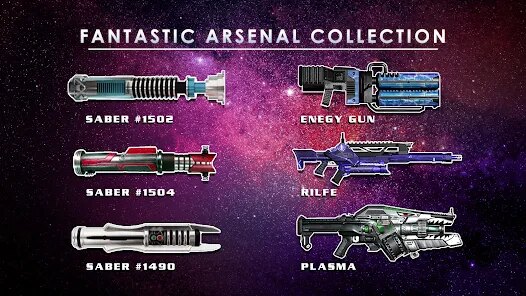

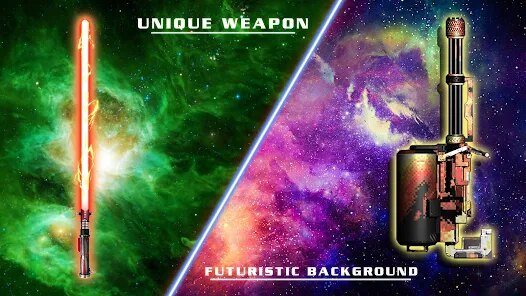
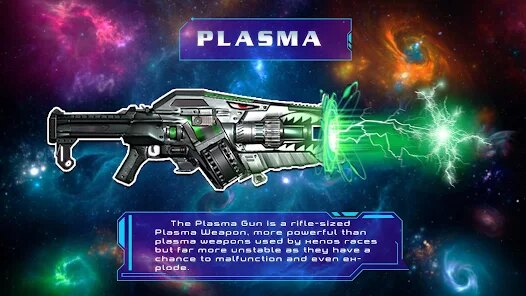
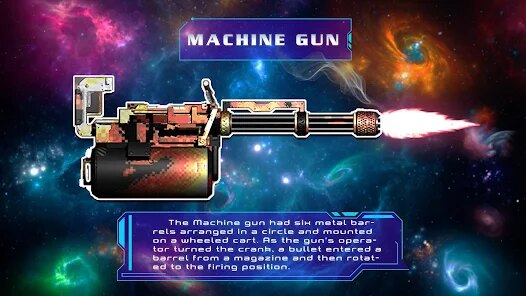
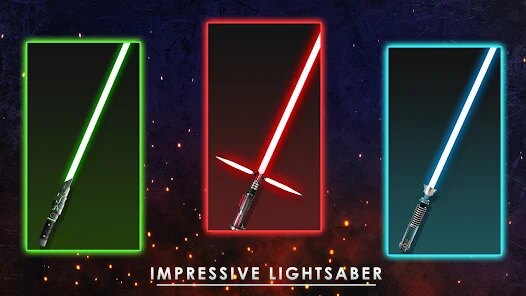
Game Overview
Interactive Weapon Simulator 🎮
Gun Simulator & Lightsaber transforms your phone into a collection of realistic virtual firearms and glowing energy swords. Enjoy immersive sound effects, vibrant animations, and responsive interactions that make every tap, swipe, and swing feel exciting and entertaining.
Huge Collection of Virtual Weapons 🔫
Browse a wide variety of pistols, rifles, shotguns, futuristic blasters, and colorful lightsabers. Every item features unique firing sounds, visual effects, and animations, giving each weapon its own personality and style.
Simple Controls, Instant Fun ✨
Tap to fire, hold for continuous action, or swing your phone to activate motion-based effects. Whether you're relaxing, making funny videos, role-playing with friends, or simply exploring different weapons, the controls are quick and easy to learn.
Safe Entertainment for Everyone 🌟
Everything in the app is completely virtual and designed for harmless entertainment. Enjoy realistic audio, colorful lighting effects, and creative interactions without any real-world danger, making it perfect for parties, casual fun, and stress relief.
How to Get Started
Step 1: Getting Started 🚀
Step 2: Open the app, choose your favorite virtual weapon, and interact with the screen or your device to activate realistic sounds, lighting effects, and animations. Most actions only require tapping, holding, or gently moving the phone.
Step 3: Select a Weapon 🔫
Step 4: Browse through categories such as pistols, rifles, shotguns, laser blasters, and lightsabers. Tap any weapon to load it and preview its unique appearance and effects.
Step 5: Learn the Controls 🎯
Step 6: Look around the interface to find buttons for firing, reloading, activating special effects, or turning lightsabers on and off. Spend a moment exploring before trying each feature.
Step 7: Fire Virtual Guns 💥
Step 8: Tap the fire button to hear realistic shooting sounds and see muzzle flashes. Hold the button for automatic weapons to simulate continuous firing, then tap Reload whenever the magazine becomes empty.
Step 9: Activate Lightsabers ⚔️
Step 10: Press the power button to ignite the lightsaber blade. Gently move or swing your phone to trigger motion effects, and use additional action buttons to simulate clashes and energy strikes.
Step 11: Customize Visual Effects 🌈
Step 12: Open the settings or customization menu to change blade colors, weapon skins, sound volume, vibration, and background themes. Experiment with different combinations to create your favorite setup.
Step 13: Enjoy With Friends 📹
Step 14: Use multiple devices to create fun pretend battles, role-playing scenes, or short videos. Coordinate movements, activate effects together, and enjoy the interactive experience safely with friends and family.
Download App
Star Ratings
More Games to Play


















Disclaimer
Playcove is not affiliated with nor represents any developer, and is not the developer of any App or game.
Playcove solely collects and displays information from Google Play, including screenshots, historical version APK files, and download links.
All trademarks, registered trademarks, product names, company names, and logos appearing on this site are the property of their respective owners.
We guarantee the security of all APK files provided on our site and also provide official download links from Google Play and the App Store for your reference.