












Fish Eat Fish.io
Epic Plane Evolution

Spring Spear: Aim & Snap

Heartopia

Escalators

Love Tester - Find Real Love

Survivalcraft

Gangs Wars: Pixel Shooter RP

Weapon Master: Gun Shooter Run

Ride Master: Car Builder Game
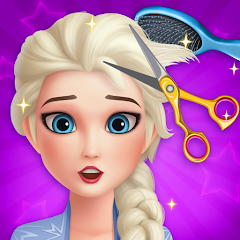
Hair Salon: Beauty Salon Game
Tap Happy
Updated
Oct 28, 2026
Category
Casual
Installs
10M+
Rating
Updated
Oct 28, 2026
Category
Casual
Developer
Tap Happy
Installs
10M+
Rating
Game Screenshots
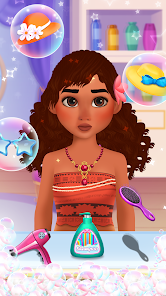
Game Overview
Glam Makeover Playground
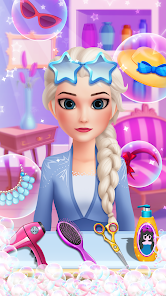
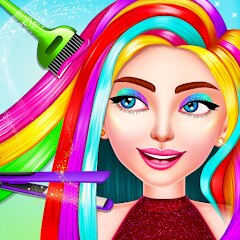
Hair Salon: Beauty Salon Game is a cute makeover simulator where kids and adults can step into the role of creative stylists 💇♀️✨. Cut, curl, dye, and style cartoon characters using a wide range of tools, then complete the look with makeup and accessories. It’s relaxing, colorful, and super easy to pick up.
Creative Hair Styling Studio
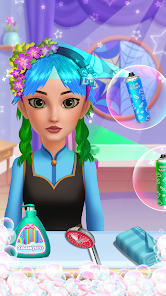
Try out bold and playful hairstyles, from classic bobs to rainbow mohawks 🌈. Mix colors, adjust lengths, and fix “hair disasters” in a safe, playful space. With no rules or limits, every character becomes a blank canvas for a fresh new look.
Fun for Kids and Families
With simple controls, big buttons, and friendly characters, it’s perfect for kids to explore fashion and role-play running a real salon 💅. Parents can enjoy watching little stylists come up with wild ideas while learning basic grooming and styling concepts through play.
Endless Looks and Surprises
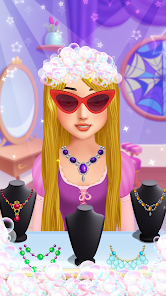
Unlock new tools, outfits, and decorations as you play 🎀. Take photos of finished makeovers, share your favorite looks, and revisit characters to try different styles. Short sessions, bright visuals, and endless combinations keep the salon experience fun and fresh every time.
How to Get Started
Step 1: Start the Salon Adventure
Step 2: Open the game to step into a bright, cheerful hair studio filled with tools and smiling clients 😄. Pick a guest to style and follow the on-screen guidance. With simple tap-and-drag controls, even first-time players can complete a full makeover with ease.
Step 3: Choose a Character
Step 4: Tap one of the waiting guests in the lobby. Each character has a unique face and hair type, opening up different styling ideas. Confirm your selection to seat them in the salon chair.
Step 5: Wash and Prep the Hair
Step 6: Turn on the shower by tapping it, then drag water across the hair. Apply shampoo, scrub to create foam, and rinse it clean. Use a towel or hair dryer to finish, leaving the hair soft, clean, and ready for styling ✨.
Step 7: Cut, Trim, or Regrow
Step 8: Grab the scissors to shorten hair by dragging over the areas you want to cut. Use the trimmer for clean, precise edges. Some modes even include a magic spray to regrow hair—great for fixing mistakes or trying new lengths.
Step 9: Style with Tools
Step 10: Use a comb to smooth things out, then pick a curling iron or straightener to change the hair’s texture 🔥. Drag along each strand and hold briefly to shape curls or straighten locks. Keep experimenting until the base style feels just right.
Step 11: Add Color and Accessories
Step 12: Open the color palette, choose a shade, and swipe over the hair to dye it—mix colors for gradients or rainbow effects 🌈. Finish the look with clips, bows, hats, and other accessories by tapping and placing them where they fit best.
Step 13: Do Makeup and Save Your Look
Step 14: In makeup modes, select lipstick, eyeshadow, and blush, then tap or drag to apply them on the face. Once everything is complete, tap the camera icon to take a photo. Save or share your makeover, then head back to style a new character and start again 🎉.
Download App
Star Ratings
More Games to Play



Disclaimer
Playcove is not affiliated with nor represents any developer, and is not the developer of any App or game.
Playcove solely collects and displays information from Google Play, including screenshots, historical version APK files, and download links.
All trademarks, registered trademarks, product names, company names, and logos appearing on this site are the property of their respective owners.
We guarantee the security of all APK files provided on our site and also provide official download links from Google Play and the App Store for your reference.