












Fish Eat Fish.io
Epic Plane Evolution

Spring Spear: Aim & Snap

Heartopia

Escalators

Love Tester - Find Real Love

Survivalcraft

Gangs Wars: Pixel Shooter RP

Weapon Master: Gun Shooter Run

Ride Master: Car Builder Game
Hot Wheels Unlimited
Budge Studios
Updated
Oct 28, 2026
Category
Racing
Installs
10M+
Rating
Updated
Oct 28, 2026
Category
Racing
Developer
Budge Studios
Installs
10M+
Rating
Game Screenshots

Game Overview
High-Speed Toy Car Racing & Track Building 🚗🔥
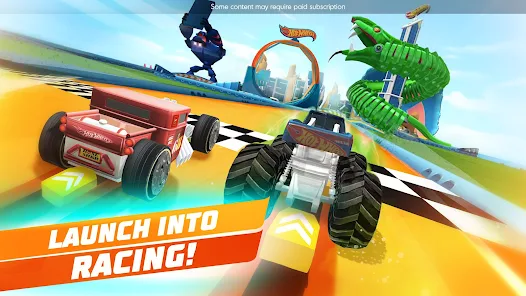
Hot Wheels Unlimited is an arcade racing game packed with iconic toy cars, wild stunts, and customizable mega tracks. Race through loops, jumps, and boosters while chasing high scores or designing insane tracks filled with creativity and speed.
Build Wild Custom Race Tracks 🏗️
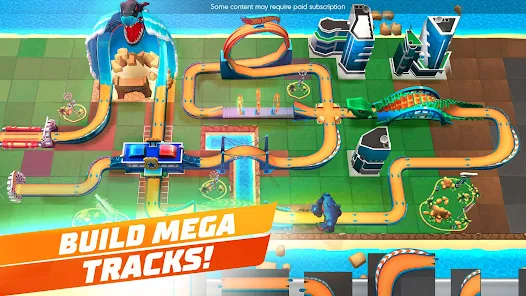
Use an intuitive drag-and-drop builder to create your own dream racetracks in minutes. Combine loops, ramps, boosters, and obstacles, then test your creations to see how fast and chaotic your custom courses can become.
Fast Challenges & Reward Modes 🎯
Take on time trials, puzzle challenges, and special missions to unlock new cars and track parts. Limited-time events keep gameplay fresh, rewarding smart track design as much as driving skill.
Kid-Friendly Racing Fun 🎮
With simple controls, bright visuals, and easy navigation, the game is perfect for kids and casual players. Quick races and creative building sessions make it ideal for both short bursts and long creative play.
How to Get Started
Step 1: Getting Started 🚗
Step 2: Begin by entering the main hub, where you can choose between racing, building tracks, and completing challenge missions. Follow the tutorial to learn basic driving and track creation.
Step 3: Choose Your Car 🏎️
Step 4: Open the garage and swipe through available Hot Wheels vehicles. Check each car’s speed and handling stats, then tap to select and enter a race or challenge.
Step 5: Learn the Controls 🎮
Step 6: Press and hold on the right side to accelerate. Swipe left or right to steer your car through loops, jumps, and tight turns while maintaining control on fast sections.
Step 7: Use Boost Pads Wisely ⚡
Step 8: Drive over glowing boost strips to gain extra speed. Try to use boosts on straight sections to avoid losing control on sharp corners or jumps.
Step 9: Complete Challenge Missions 🏁
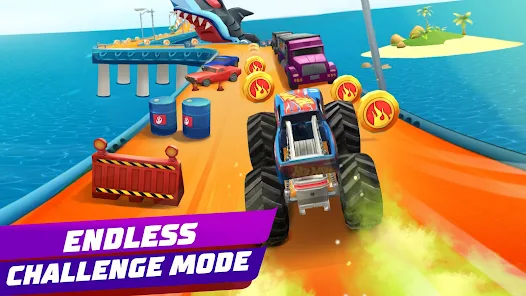
Step 10: Enter challenge mode from the main hub. Read each objective carefully, such as time trials or track puzzles, then complete the course to earn rewards and unlock content.
Step 11: Build Custom Tracks 🧩
Step 12: Use the track builder to drag and place loops, ramps, and obstacles. Connect start and finish points, then test your design to see how your custom race performs.
Step 13: Unlock Cars & Track Parts 🎁
Step 14: Earn rewards by completing races and challenges. Use them to unlock new cars, boosters, and track pieces, expanding your racing and building possibilities.
Download App
Star Ratings
More Games to Play





Disclaimer
Playcove is not affiliated with nor represents any developer, and is not the developer of any App or game.
Playcove solely collects and displays information from Google Play, including screenshots, historical version APK files, and download links.
All trademarks, registered trademarks, product names, company names, and logos appearing on this site are the property of their respective owners.
We guarantee the security of all APK files provided on our site and also provide official download links from Google Play and the App Store for your reference.