












Fish Eat Fish.io
Epic Plane Evolution

Spring Spear: Aim & Snap

Heartopia

Escalators

Love Tester - Find Real Love

Survivalcraft

Gangs Wars: Pixel Shooter RP

Weapon Master: Gun Shooter Run

Ride Master: Car Builder Game
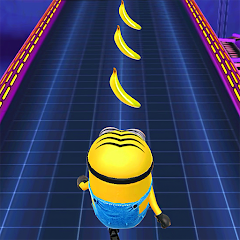
Minion Rush: Running Game
Gameloft SE
Updated
Oct 28, 2026
Category
Arcade
Installs
10M+
Rating
Updated
Oct 28, 2026
Category
Arcade
Developer
Gameloft SE
Installs
10M+
Rating
Game Screenshots
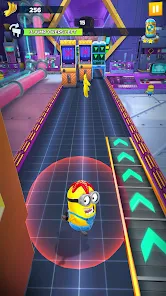
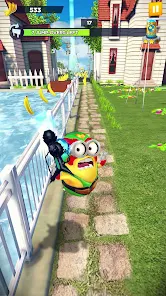
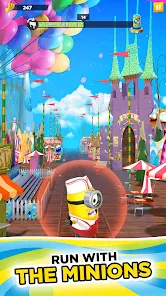

Game Overview
Crazy Minion Adventure
A fast-paced endless runner set in the world of Despicable Me 🤪. Dash through chaotic movie-inspired locations as the mischievous Minions, dodging traps, rockets, and ridiculous obstacles while chasing piles of bananas.
Missions, Stories & Events
Take on cinematic story stages, seasonal events, and daily challenges 🎯. Unlock new zones, meet familiar characters from the franchise, and enjoy mini-missions that keep every run feeling different instead of repetitive.
Costumes & Power-Ups
Collect outfits that come with unique perks, such as extra shields, bonus bananas, or stronger boosts 👕⚡. Mix and match costumes and gadgets to fit your playstyle—whether you focus on high scores, fast runs, or completing missions.
Colorful, Family-Friendly Fun
Bright visuals, slapstick humor, and playful animations bring the Minions’ world to life 😆. Simple controls and short gameplay sessions make it ideal for quick breaks, younger players, or anyone looking for light, casual arcade fun.
How to Get Started
Step 1: Basic Idea
Step 2: Swipe to run, dodge, and jump while collecting bananas and completing missions 💨. The longer you run, the faster the pace becomes, so focus on survival while grabbing as many rewards as possible.
Step 3: Start a Run
Step 4: Open the game and tap the large Play/Run button on the main screen ▶️. After a short loading sequence, your Minion will begin running automatically.
Step 5: Learn the Controls
Step 6: Swipe left or right to switch lanes, swipe up to jump over gaps, and swipe down to slide under obstacles 🙌. Practice a few easy runs first to get comfortable with the timing and increasing speed.
Step 7: Collect Bananas & Tokens
Step 8: Pick up bananas along the path in each lane—they’re used to upgrade power-ups and unlock new items 🍌. Grab special tokens or event items whenever they appear to progress faster through missions.
Step 9: Use Power-Ups Wisely
Step 10: Run through power-up icons such as magnets, rockets, or shields to activate them 🛡️. Save stronger boosts for dense obstacle sections or high-speed moments where mistakes are more likely.
Step 11: Equip Costumes & Upgrades
Step 12: From the home menu, open the Costumes or Shop section 👗. Select outfits that match your goals, then spend bananas or tokens to upgrade abilities and improve performance.
Step 13: Complete Missions & Events
Step 14: Check the mission list before each run to understand your objectives (distance, bananas, tricks, and more) 📋. Participate in limited-time events through the event menu to earn rare rewards and unlock new outfits.
Download App
Star Ratings
More Games to Play



Disclaimer
Playcove is not affiliated with nor represents any developer, and is not the developer of any App or game.
Playcove solely collects and displays information from Google Play, including screenshots, historical version APK files, and download links.
All trademarks, registered trademarks, product names, company names, and logos appearing on this site are the property of their respective owners.
We guarantee the security of all APK files provided on our site and also provide official download links from Google Play and the App Store for your reference.