












Fish Eat Fish.io
Epic Plane Evolution

Spring Spear: Aim & Snap

Heartopia

Escalators

Love Tester - Find Real Love

Survivalcraft

Gangs Wars: Pixel Shooter RP

Weapon Master: Gun Shooter Run

Ride Master: Car Builder Game
Moto X3M Bike Race Game
Ace Viral
Updated
Oct 28, 2026
Category
Racing
Installs
10M+
Rating
Updated
Oct 28, 2026
Category
Racing
Developer
Ace Viral
Installs
10M+
Rating
Game Screenshots


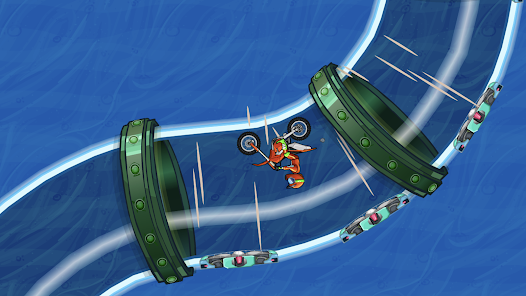
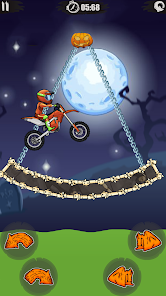
Game Overview
Adrenaline-Fueled Moto Stunt Racing 🏍️🔥
Moto X3M Bike Race Game is a high-energy physics-based motocross experience filled with wild tracks, explosive traps, and massive jumps. Race through beach, city, and snowy environments while performing stunts, chasing fast times, and aiming for three-star perfection.
Crazy Obstacle Courses & Stunt Action 💥
Each level is a carefully designed challenge packed with spinning blades, collapsing platforms, ramps, and deadly traps. Players must balance speed and control to survive, with instant respawns keeping the action fast and addictive.
Unlock Bikes & Master Time Trials 🏁
Earn stars based on completion speed and performance to unlock new bikes and characters. Replay levels to improve routes, perfect landings, and climb leaderboards by shaving off every possible second.
Simple Controls, Deep Skill Curve 🎮
Easy-to-learn controls make it accessible for all players, but mastering rotation, momentum, and timing is key for top performance. Every track becomes a mix of speed, precision, and creative stunt execution.
How to Get Started
Step 1: Getting Started 🏍️
Step 2: Begin by selecting a level and riding your stunt bike through obstacle-filled tracks. The goal is to reach the finish line as fast as possible while surviving traps and collecting stars based on your performance.
Step 3: Start Your First Ride 🚦
Step 4: Tap Play on the main screen and choose the first available level. As you progress, unlock and select more challenging stages from the level map for better rewards.
Step 5: Learn Basic Controls 🎮
Step 6: Use the right arrow to accelerate and the left arrow to brake or reverse. In the air, use tilt controls to rotate the bike forward or backward for controlled landings.
Step 7: Read the Track Ahead 👀
Step 8: Watch for ramps, spikes, spinning blades, and other hazards. Slow down before dangerous sections and accelerate on straight paths to clear large jumps safely.
Step 9: Control Your Landings 🛞
Step 10: Try to land both wheels together or slightly tilted back for stability. Avoid over-rotation by adjusting tilt gently, especially during long jumps or flips.
Step 11: Use Checkpoints Wisely 🚩
Step 12: Checkpoints automatically save your progress mid-level. If you crash, restart from the last checkpoint and continue without losing your overall run progress.
Step 13: Earn Stars & Upgrade 🏆
Step 14: Complete levels quickly to earn up to three stars. Use stars to unlock new bikes and riders, then replay stages to improve times, master tricks, and perfect your runs.
Download App
Star Ratings
More Games to Play






Disclaimer
Playcove is not affiliated with nor represents any developer, and is not the developer of any App or game.
Playcove solely collects and displays information from Google Play, including screenshots, historical version APK files, and download links.
All trademarks, registered trademarks, product names, company names, and logos appearing on this site are the property of their respective owners.
We guarantee the security of all APK files provided on our site and also provide official download links from Google Play and the App Store for your reference.