












Fish Eat Fish.io
Epic Plane Evolution

Spring Spear: Aim & Snap

Heartopia

Escalators

Love Tester - Find Real Love

Survivalcraft

Gangs Wars: Pixel Shooter RP

Weapon Master: Gun Shooter Run

Ride Master: Car Builder Game
Papa's Cluckeria To Go!
Flipline Studios
Updated
Oct 28, 2026
Category
Game
Installs
10M+
Rating
Updated
Oct 28, 2026
Category
Game
Developer
Flipline Studios
Installs
10M+
Rating
Game Screenshots
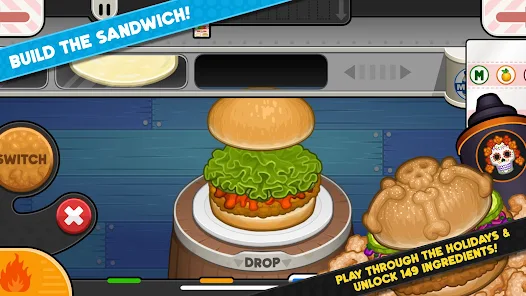
Game Overview
Chicken Shop Time-Management Fun 🍗
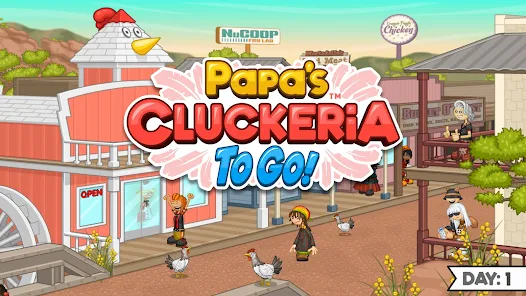
Papa's Cluckeria To Go! puts you in charge of a bustling chicken sandwich restaurant where speed and accuracy are the keys to success. Take customer orders, fry crispy chicken, prepare towering sandwiches, and blend refreshing slushes while keeping every guest satisfied.
Craft the Perfect Sandwich 🥪
Mix different buns, chicken styles, sauces, cheeses, and toppings to recreate each customer's order with precision. Every completed sandwich is a rewarding food challenge, and cleaner builds earn higher scores, larger tips, and exciting new ingredients.
Fresh Menus All Year Round 🎉
Serve customers through changing seasons, holiday celebrations, and limited-time events that introduce brand-new recipes and festive ingredients. Frequent menu updates keep every workday interesting and encourage players to master new combinations.
Customize, Upgrade, and Expand 💰
Spend your hard-earned tips on kitchen equipment, useful boosters, decorations, and stylish outfits. Personalize your worker, improve restaurant efficiency, and transform a small sandwich shop into a thriving chicken business.
How to Get Started
Step 1: Getting Started 🍽️
Step 2: Manage every part of the restaurant by taking customer orders, frying chicken, building sandwiches, preparing slushes, and serving meals as quickly and accurately as possible to earn generous tips and high customer ratings.
Step 3: Open the Restaurant 🚪
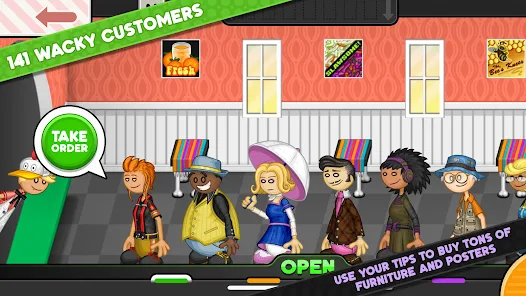
Step 4: Start a new workday and welcome the first customers into your shop. Tap each customer as they arrive so you can take their order before the waiting line grows longer.
Step 5: Record Every Order 📝
Step 6: Carefully review the order ticket, including the bun, chicken style, toppings, sauces, and slush details. Keep the ticket nearby so you can follow every instruction while preparing the meal.
Step 7: Fry the Chicken Perfectly 🍳
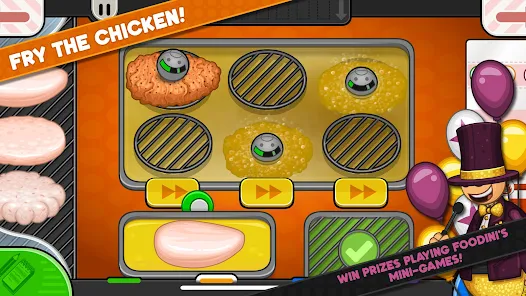
Step 8: Place raw chicken into the fryer baskets and monitor the cooking meter closely. Flip or remove the chicken at the right moment to achieve a perfectly cooked result without burning it.
Step 9: Assemble the Sandwich 🥪
Step 10: Select the correct bun, place the cooked chicken on top, then add every topping and sauce in the requested order. Center each ingredient neatly to improve your build score and impress customers.
Step 11: Prepare the Slush 🥤
Step 12: Choose the correct cup, flavors, and blending options before filling the drink to the target line. Add any extra layers or toppings requested on the order ticket for the highest possible drink rating.
Step 13: Serve and Improve 🌟
Step 14: Deliver the completed meal, collect tips, and review your performance at the end of the day. Spend your earnings on useful upgrades, decorations, and new clothing to make future shifts faster, smoother, and even more enjoyable.
Download App
Star Ratings
More Games to Play
















Disclaimer
Playcove is not affiliated with nor represents any developer, and is not the developer of any App or game.
Playcove solely collects and displays information from Google Play, including screenshots, historical version APK files, and download links.
All trademarks, registered trademarks, product names, company names, and logos appearing on this site are the property of their respective owners.
We guarantee the security of all APK files provided on our site and also provide official download links from Google Play and the App Store for your reference.