












Fish Eat Fish.io
Epic Plane Evolution

Spring Spear: Aim & Snap

Heartopia

Escalators

Love Tester - Find Real Love

Survivalcraft

Gangs Wars: Pixel Shooter RP

Weapon Master: Gun Shooter Run

Ride Master: Car Builder Game
Papa's Freezeria To Go!
Flipline Studios
Updated
Oct 28, 2026
Category
Game
Installs
10M+
Rating
Updated
Oct 28, 2026
Category
Game
Developer
Flipline Studios
Installs
10M+
Rating
Game Screenshots
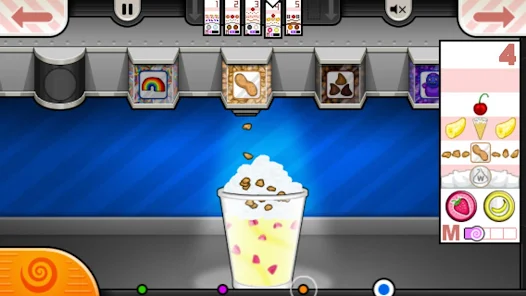
Game Overview
Run the Ultimate Island Ice Cream Shop 🍨
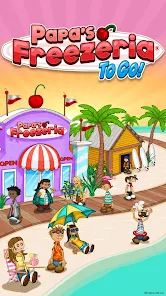
Set on a beautiful tropical island, this game transforms a small beachside stand into a bustling destination for milkshakes, sundaes, and frozen desserts. Take customer orders, blend delicious ingredients, and decorate every treat to keep hungry visitors smiling.
Work Your Way to Dessert Expert 😎
Begin as a rookie employee and gradually unlock new toppings, syrups, recipes, and customers. Faster service and accurate orders earn bigger tips, allowing you to upgrade your shop, improve equipment, and boost efficiency.
Made for Smooth Mobile Gameplay 📱
Built with touchscreen controls in mind, every station uses simple taps and swipes. Move seamlessly between the Order, Build, Mix, and Top stations with an intuitive interface designed for fast-paced mobile play.
Packed With Variety and Fun Challenges 🎯
Mix different flavors, aim for perfect scores, and handle multiple customer orders during busy rushes. Unlock seasonal events, exclusive ingredients, and charming shop upgrades that keep every play session fresh and rewarding.
How to Get Started
Step 1: Welcome to Your Tropical Dessert Shop 🌴
Step 2: Take charge of every station as you accept orders, prepare frozen treats, and add the perfect toppings. Follow each customer's request carefully to earn generous tips and unlock helpful upgrades.
Step 3: Begin a New Workday
Step 4: Launch the game, choose a save slot, and tap "Continue." Watch the opening scene or skip it, then ring the bell when your first customer arrives.
Step 5: Take Customer Orders
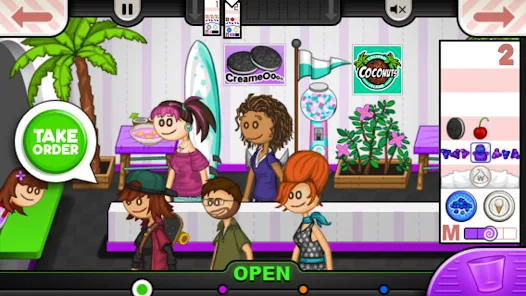
Step 6: At the Order Station, tap the customer and then the ticket button. Their order will appear on a ticket—drag it to the ticket rack at the top of the screen for easy reference.
Step 7: Prepare the Dessert
Step 8: Head to the Build Station by tapping its icon. Select the correct cup size, add the requested ice cream flavor, mix-ins, and syrups, then release the button when the meter lands in the target zone.
Step 9: Blend It Just Right
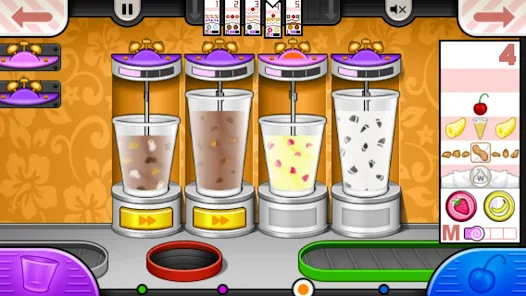
Step 10: Switch to the Mix Station and drag the ticket onto an available blender. Start the machine, then stop it when the blending meter reaches the highlighted sweet spot for the best results.
Step 11: Add Toppings and Final Touches
Step 12: Move to the Top Station to finish the order. Add whipped cream, sauces, and toppings exactly as shown on the ticket. Neat presentation and the correct order will earn higher scores.
Step 13: Serve Customers and Improve the Shop
Step 14: Deliver the completed dessert to the right customer and collect your tips. Between workdays, spend your earnings on upgrades that speed up each station, reduce customer wait times, and make busy rush hours much easier. 😋
Download App
Star Ratings
More Games to Play

















Disclaimer
Playcove is not affiliated with nor represents any developer, and is not the developer of any App or game.
Playcove solely collects and displays information from Google Play, including screenshots, historical version APK files, and download links.
All trademarks, registered trademarks, product names, company names, and logos appearing on this site are the property of their respective owners.
We guarantee the security of all APK files provided on our site and also provide official download links from Google Play and the App Store for your reference.