












Fish Eat Fish.io
Epic Plane Evolution

Spring Spear: Aim & Snap

Heartopia

Escalators

Love Tester - Find Real Love

Survivalcraft

Gangs Wars: Pixel Shooter RP

Weapon Master: Gun Shooter Run

Ride Master: Car Builder Game
Piano Star: Tap Music Tiles
Potato Games Studio
Updated
Oct 28, 2026
Category
Music
Installs
10M+
Rating
Updated
Oct 28, 2026
Category
Music
Developer
Potato Games Studio
Installs
10M+
Rating
Game Screenshots

Game Overview
Rhythm Piano Arcade
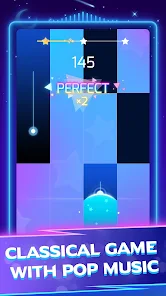
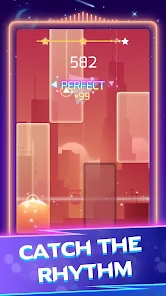
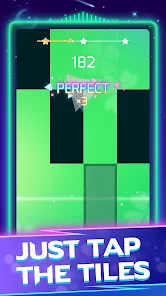
Piano Star: Tap Music Tiles is a high-speed rhythm game where every tap triggers a piano note 🎹. Stay in sync with the music, hit each tile on time, and enjoy both popular hits and classic melodies in a simple one-finger gameplay style.
Massive Song Library
From chart-topping pop songs to anime soundtracks and relaxing piano covers, there’s always something new to unlock 🎵. With short levels, smooth progression, and frequent song updates, the playlist stays fresh and engaging.
Easy to Start, Hard to Master
The rules are simple: tap the black tiles, avoid missing beats, and follow the rhythm. But as the tempo rises, combos, streaks, and complex tile patterns quickly turn each track into a real challenge 💥.
Play Anytime, Anywhere
Designed for quick sessions or longer playtime, the game supports offline play for many songs and delivers satisfying sound effects throughout. Put on headphones, relax, and let your fingers move with the beat 😎.
How to Get Started
Step 1: Getting Started
Step 2: Launch the game, choose a song, and tap the black tiles as they move down the screen. Everything depends on timing and rhythm—stay in sync with the music to score higher and keep the track going 🎶.
Step 3: Choose a Song
Step 4: Open the song list, browse different categories, and tap a track to begin. Some songs are locked and can be unlocked using coins, keys, or by watching ads.
Step 5: Understand the Tiles
Step 6: Black tiles need to be tapped, long tiles should be held, and empty spaces should be ignored. Missing a tile or tapping incorrectly will immediately end the run.
Step 7: Tap to the Beat
Step 8: Play with one or two thumbs and follow the rhythm closely. Aim to tap when tiles reach the judgement line at the bottom to achieve Perfect hits and maximize your score.
Step 9: Keep Combo and Streak
Step 10: Avoid mistakes to build up combos. Longer streaks increase your score and help you earn more stars, crowns, and rewards at the end of each song.
Step 11: Use Items and Unlock Songs
Step 12: Collect coins and keys through daily rewards and completed tracks. Use them to unlock new songs, harder modes, and special challenge levels.
Step 13: Adjust Settings
Step 14: Head to the settings menu to fine-tune sound effects, music volume, and sometimes note speed. If timing feels off, adjust the settings and test again until everything matches the beat smoothly.
Download App
Star Ratings
More Games to Play





Disclaimer
Playcove is not affiliated with nor represents any developer, and is not the developer of any App or game.
Playcove solely collects and displays information from Google Play, including screenshots, historical version APK files, and download links.
All trademarks, registered trademarks, product names, company names, and logos appearing on this site are the property of their respective owners.
We guarantee the security of all APK files provided on our site and also provide official download links from Google Play and the App Store for your reference.