












Fish Eat Fish.io
Epic Plane Evolution

Spring Spear: Aim & Snap

Heartopia

Escalators

Love Tester - Find Real Love

Survivalcraft

Gangs Wars: Pixel Shooter RP

Weapon Master: Gun Shooter Run

Ride Master: Car Builder Game
Plants vs. Zombies™
ELECTRONIC ARTS
Updated
Oct 28, 2026
Category
Strategy
Installs
10M+
Rating
Updated
Oct 28, 2026
Category
Strategy
Developer
ELECTRONIC ARTS
Installs
10M+
Rating
Game Screenshots
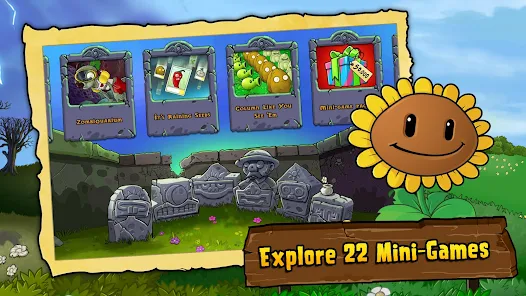
Game Overview
Garden Defense Mayhem 🌻🧟
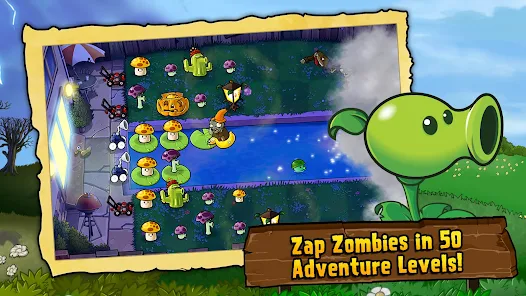
Plants vs. Zombies™ is a fun and quirky tower-defense adventure where your peaceful backyard becomes a chaotic battlefield. Waves of silly yet dangerous zombies march forward while creative plants defend the lawn with unique abilities, turning each level into a fast, strategic, and humorous showdown.
Creative Plants vs. Weird Zombies 🌱
Every plant has its own role, from basic shooters to explosive or defensive units. Zombies arrive with different costumes and abilities, forcing players to think carefully about plant combinations and lane defense strategies to survive increasingly tricky waves.
Chill but Strategic Gameplay 🎮
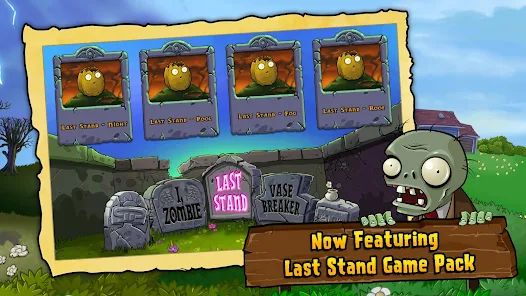
Levels are quick and easy to jump into, making it perfect for short sessions or longer playthroughs. With multiple modes like story stages and endless survival, players can enjoy relaxed planting or intense defensive challenges anytime.
Upgrades, Humor, and Endless Fun 😂
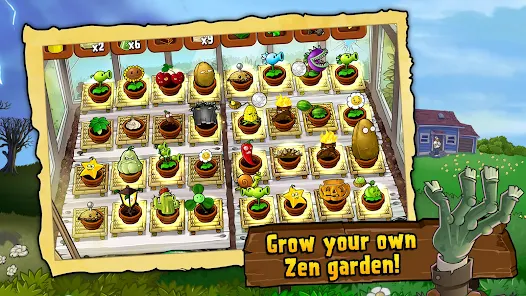
Earn resources to unlock new plants, upgrades, and tactical tools that change how battles play out. Combined with playful animations, funny zombie designs, and lighthearted effects, every match stays entertaining even during the toughest waves.
How to Get Started
Step 1: Getting Started 🌿
Step 2: Your goal is to defend your house from incoming zombies by planting different defensive units across multiple lanes. Collect sunlight, build defenses, and survive wave after wave until the level is cleared.
Step 3: Start the Level 🎯
Step 4: Tap Play and choose a stage. Watch the intro carefully to see what types of zombies will appear so you can plan your defense strategy before planting begins.
Step 5: Collect Sunlight ☀️
Step 6: Sun is the main resource used to place plants. Collect falling sun icons or generate them using Sunflower plants. Keep your sun supply growing steadily to maintain strong defenses.
Step 7: Plant Sun Producers First 🌻
Step 8: Place Sunflowers in safe back rows to generate continuous sunlight. A strong economy early in the level allows you to place stronger offensive and defensive plants later.
Step 9: Build Lane Defenses 🧠
Step 10: Place attacking plants like Peashooters in front lines to stop zombies in each lane. Make sure every path is covered so no zombie can slip through your defense.
Step 11: Use Defensive and Special Plants 🧱
Step 12: Deploy Wall-nuts to block enemies, explosive plants to clear groups, and slowing plants to control fast zombies. Use them strategically when large waves approach.
Step 13: Manage Plant Strategy and Cooldowns 🔄
Step 14: Each plant has a cooldown after use, so plan placements carefully. Adjust your plant selection based on upcoming zombie types to maintain a balanced and effective defense.
Download App
Star Ratings
More Games to Play



















Disclaimer
Playcove is not affiliated with nor represents any developer, and is not the developer of any App or game.
Playcove solely collects and displays information from Google Play, including screenshots, historical version APK files, and download links.
All trademarks, registered trademarks, product names, company names, and logos appearing on this site are the property of their respective owners.
We guarantee the security of all APK files provided on our site and also provide official download links from Google Play and the App Store for your reference.