












Fish Eat Fish.io
Epic Plane Evolution

Spring Spear: Aim & Snap

Heartopia

Escalators

Love Tester - Find Real Love

Survivalcraft

Gangs Wars: Pixel Shooter RP

Weapon Master: Gun Shooter Run

Ride Master: Car Builder Game

Pokémon GO
Niantic, Inc.
Updated
Oct 28, 2026
Category
Game
Installs
10M+
Rating
Updated
Oct 28, 2026
Category
Game
Developer
Niantic, Inc.
Installs
10M+
Rating
Game Screenshots
Game Overview
Explore the World with Pokémon 🌍
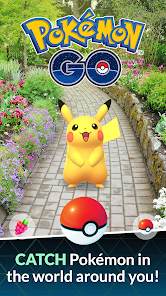
Pokémon GO is a location-based augmented reality adventure that brings Pokémon into the real world through a smartphone. 😎 Walk through your neighborhood, discover wild Pokémon on the map, and catch them with a well-timed throw.
Turn Everyday Places Into Adventures
Parks, streets, and famous landmarks become part of the game world. 🗺️ Visit PokéStops and Gyms at real-life locations, explore new areas, stay active, and enjoy outdoor adventures with friends.
Catch, Train, and Battle Pokémon
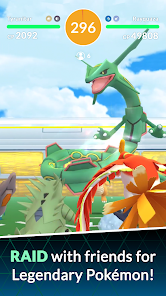
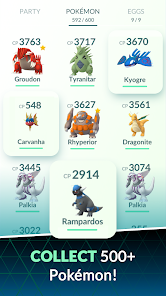
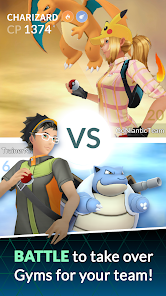
Collect, evolve, and strengthen hundreds of Pokémon from multiple generations. 🐲 Build a powerful team, challenge Gyms, take on Raid Battles against legendary bosses, and test your skills in exciting Trainer PvP battles.
Play Together Through Events and Challenges
Regular in-game events, Community Days, and special research missions keep the experience fresh. 🎉 Team up with other Trainers, trade Pokémon, exchange gifts, and enjoy exclusive rewards, limited-time bonuses, and themed seasonal content.
How to Get Started
Step 1: Basic Gameplay
Step 2: Explore the real world to discover Pokémon on the in-game map. Catch them, spin PokéStops for useful items, and battle at Gyms and Raids to become a stronger Trainer. 💥
Step 3: Download the Game and Create Your Trainer
Step 4: Install Pokémon GO from the App Store or Google Play. Sign in with a Google account or Pokémon Trainer Club, customize your Trainer, choose a nickname, and enable location services so the map works properly.
Step 5: Get Familiar with the Map
Step 6: The map mirrors your real-world surroundings, including roads and landmarks. Blue cubes represent PokéStops, tall towers mark Gyms, and rustling grass or Pokémon icons indicate nearby Pokémon. Tap any icon to interact or view more information.
Step 7: Catch Your First Pokémon
Step 8: Tap a wild Pokémon to enter the capture screen. Swipe a Poké Ball toward the shrinking target circle for the best chance of success. Use Berries and stronger Poké Balls when catching more challenging Pokémon, then check their CP and stats.
Step 9: Visit PokéStops and Battle at Gyms
Step 10: Walk within range of a PokéStop and spin its Photo Disc to collect Poké Balls, Potions, Gifts, and other rewards. 🎁 At Gyms, challenge opposing teams or leave one of your Pokémon behind to defend a Gym controlled by your team.
Step 11: Power Up and Organize Your Collection
Step 12: Use Stardust and Candy to power up your Pokémon or evolve them into stronger forms. Transfer duplicates to the Professor to earn extra Candy, and manage your item bag by discarding less useful items when storage fills up.
Step 13: Join Raids and Special Events
Step 14: Take part in Raid Battles at nearby Gyms, either alone or with other Trainers, to defeat powerful bosses and earn rare rewards. Battle in the GO Battle League, complete research tasks, and join limited-time events to unlock bonuses and encounter exclusive Pokémon. 😄
Download App
Star Ratings
More Games to Play















Disclaimer
Playcove is not affiliated with nor represents any developer, and is not the developer of any App or game.
Playcove solely collects and displays information from Google Play, including screenshots, historical version APK files, and download links.
All trademarks, registered trademarks, product names, company names, and logos appearing on this site are the property of their respective owners.
We guarantee the security of all APK files provided on our site and also provide official download links from Google Play and the App Store for your reference.