












Fish Eat Fish.io
Epic Plane Evolution

Spring Spear: Aim & Snap

Heartopia

Escalators

Love Tester - Find Real Love

Survivalcraft

Gangs Wars: Pixel Shooter RP

Weapon Master: Gun Shooter Run

Ride Master: Car Builder Game
Princesses - Enchanted Castle
Sunstorm by TabTale
Updated
Oct 28, 2026
Category
Casual
Installs
10M+
Rating
Updated
Oct 28, 2026
Category
Casual
Developer
Sunstorm by TabTale
Installs
10M+
Rating
Game Screenshots
Game Overview
A Fairytale Castle to Explore ✨
Enter a magical kingdom where young princesses can wander through a beautiful enchanted castle filled with wonder. Discover elegant royal chambers, hidden passageways, towering turrets, and delightful surprises, with interactive activities waiting around every corner.
Create Stunning Princess Styles 👑
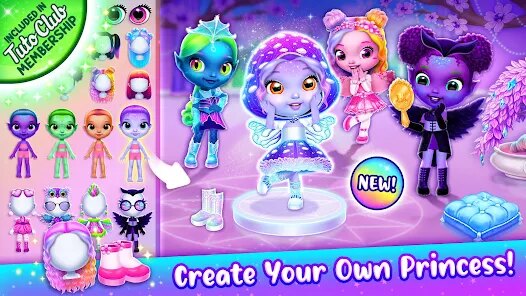
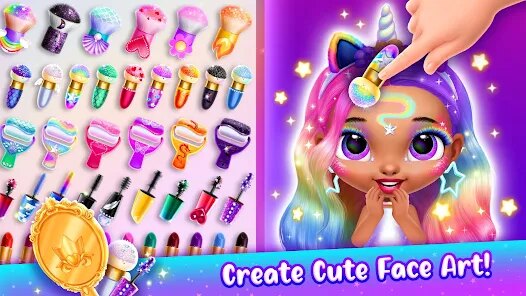
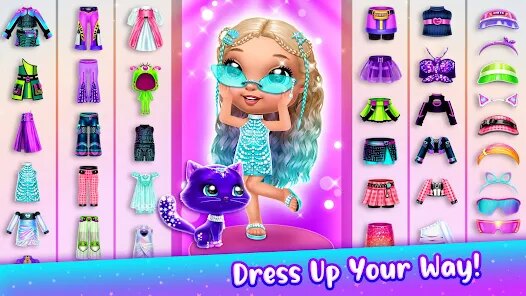
Customize every royal look with gorgeous gowns, sparkling tiaras, stylish hairstyles, and charming accessories. Mix colors and fashion pieces to design the perfect outfit for grand celebrations, magical adventures, or everyday life in the castle.
Interactive Rooms Full of Surprises 🌈
Explore beautifully decorated spaces including the royal bedroom, magnificent ballroom, banquet hall, and many more exciting locations. Tap furniture, decorations, and magical objects to trigger playful animations, sparkling effects, and cheerful sounds hidden throughout the castle.
Relaxing Fun for Young Players 💖
Easy touch controls, colorful visuals, and soothing audio create a welcoming experience that's perfect for children. With no timers, difficult challenges, or pressure, kids are free to imagine, explore, and enjoy endless pretend-play in a safe and enchanting royal world.
How to Get Started
Step 1: Getting Started 🚀
Step 2: Step into the enchanted castle by opening the game and tapping the grand gate. From there, you can choose rooms on the map or glide between castle areas to explore a magical royal world filled with surprises 🏰.
Step 3: Choose a Princess 👑
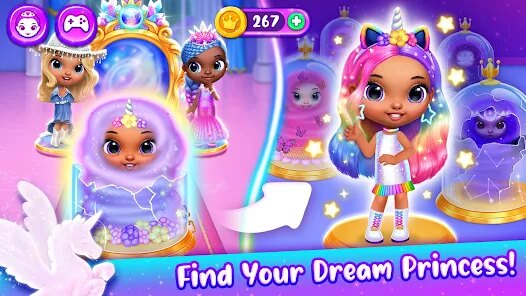
Step 4: On the main screen, tap any princess to begin your journey with her. You can swipe left or right to browse different royal characters until you find the one you like most 💖.
Step 5: Explore Castle Rooms 🏛️
Step 6: Tap doors, staircases, or map icons to travel through the castle—bedroom, ballroom, dining hall, and more. Move around slowly and interact with everything, since many objects react when touched ✨.
Step 7: Dress Up and Style 👗
Step 8: Enter the dressing room and tap outfits, shoes, and crowns to try them on instantly. Drag items onto the princess or tap to switch looks, then browse more clothing using the side arrows for extra fashion choices 🎀.
Step 9: Interact with Objects 🪄
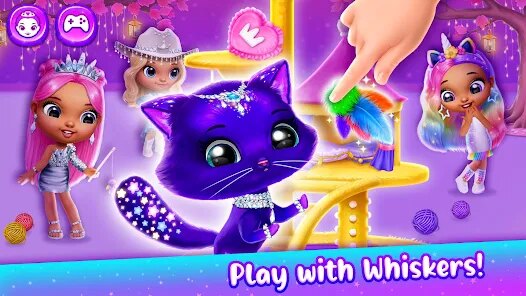
Step 10: Tap mirrors, curtains, furniture, and decorations to trigger fun animations. Some items sparkle, spin, or make sounds, so try interacting with everything—you never know what little surprise might appear 🌟.
Step 11: Move and Pose Characters 💃
Step 12: Drag the princess around the room and place her wherever you like—by the window, beside the bed, or at the table. Build your own mini scenes, and add other characters if available to make the story even livelier 🎭.
Step 13: Replay and Discover More 🔁
Step 14: Use the back button or map anytime to switch rooms and revisit scenes. Try new outfits, experiment with different interactions, and keep exploring—new reactions and hidden details often appear the more you play 🧸
Download App
Star Ratings
More Games to Play

















Disclaimer
Playcove is not affiliated with nor represents any developer, and is not the developer of any App or game.
Playcove solely collects and displays information from Google Play, including screenshots, historical version APK files, and download links.
All trademarks, registered trademarks, product names, company names, and logos appearing on this site are the property of their respective owners.
We guarantee the security of all APK files provided on our site and also provide official download links from Google Play and the App Store for your reference.