












Fish Eat Fish.io
Epic Plane Evolution

Spring Spear: Aim & Snap

Heartopia

Escalators

Love Tester - Find Real Love

Survivalcraft

Gangs Wars: Pixel Shooter RP

Weapon Master: Gun Shooter Run

Ride Master: Car Builder Game
PUBG MOBILE
Tencent Games
Updated
Oct 28, 2026
Category
Game
Installs
10M+
Rating
Updated
Oct 28, 2026
Category
Game
Developer
Tencent Games
Installs
10M+
Rating
Game Screenshots
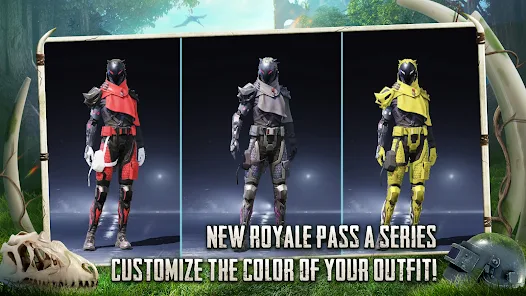
Game Overview
Battle Royale Anytime, Anywhere
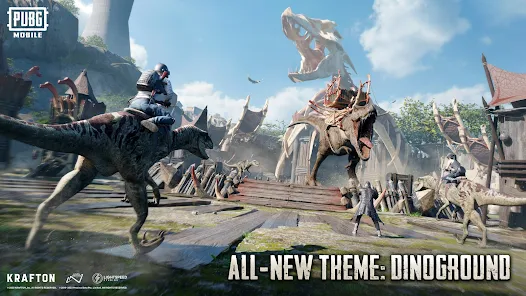
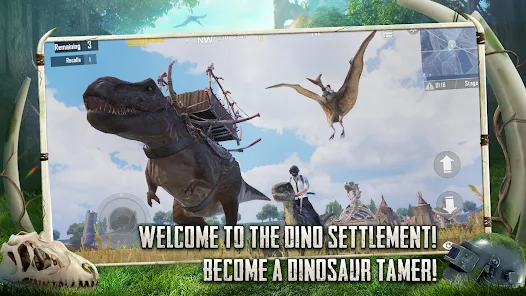
PUBG MOBILE is an action-packed battle royale where up to 100 players parachute onto an island, gather weapons, and fight to become the last survivor 🔫. Ever-shrinking safe zones, smart tactics, and split-second decisions make every match an intense survival experience.
Console-Quality Gameplay on Mobile
Powered by Unreal Engine, the game delivers detailed environments, responsive controls, and realistic gunplay right on your phone 📱. Auto-loot, aim assist, and customizable controls make every battle accessible for newcomers while offering depth for experienced players.
Multiple Modes, Endless Action
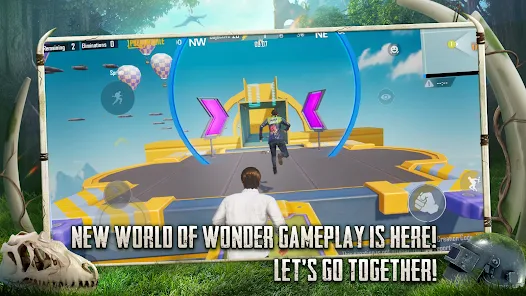
In addition to classic Battle Royale, enjoy Team Deathmatch, Payload, Metro Royale, and rotating limited-time events 🎮. Every mode introduces new objectives, weapons, or mechanics, keeping the gameplay exciting for both casual and competitive players.
Squad Up with Friends
Play solo, with a partner, or in full squads while using built-in voice chat to coordinate attacks and revive teammates 🎧. Collect skins, unlock emotes, and join seasonal events that add even more fun to every battle.
How to Get Started
Step 1: Basic Gameplay
Step 2: Install the game, sign in with your preferred account, download the required maps, and choose a game mode—Classic Battle Royale is the best place to start. Tap Start, join a match, parachute onto the island, gather gear, survive, and fight for the Chicken Dinner 🍗.
Step 3: Select Your Mode
Step 4: Choose a server with the lowest ping, then decide between Solo, Duo, or Squad based on how you want to play. Pick TPP for a wider field of view or FPP for a more immersive experience. New players should begin with TPP Classic Mode.
Step 5: Adjust Controls and Sensitivity
Step 6: Open Settings → Controls to move and resize buttons until they feel comfortable 👆. Fine-tune camera, ADS, and gyroscope sensitivity, then practice in Training Mode until aiming and recoil control feel smooth.
Step 7: Land in a Good Location
Step 8: Tap Start and board the plane. Open the map, mark a landing spot with plenty of buildings but fewer enemies. If you're playing with teammates, follow the jump leader and glide toward rooftops or large compounds for better early loot.
Step 9: Gather Weapons and Gear
Step 10: After landing, quickly collect weapons, armor, helmets, backpacks, and supplies. Assault rifles like the M416 are beginner-friendly 🎒. Stock up on ammo, healing items, and boosters while avoiding open areas during looting.
Step 11: Stay Inside the Safe Zone
Step 12: Watch the minimap for the white circle and blue zone timer. Rotate early using buildings, hills, and natural cover. Vehicles help with long-distance travel, but leave them before engaging enemies since engine noise can reveal your location 🚗.
Step 13: Fight as a Team
Step 14: Use crouching or going prone for better stability, peek around corners, and fire in controlled bursts for improved accuracy. Mark enemy locations, revive teammates quickly, share supplies, and stick together to increase your chances of victory 😎.
Download App
Star Ratings
More Games to Play












Disclaimer
Playcove is not affiliated with nor represents any developer, and is not the developer of any App or game.
Playcove solely collects and displays information from Google Play, including screenshots, historical version APK files, and download links.
All trademarks, registered trademarks, product names, company names, and logos appearing on this site are the property of their respective owners.
We guarantee the security of all APK files provided on our site and also provide official download links from Google Play and the App Store for your reference.