












Fish Eat Fish.io
Epic Plane Evolution

Spring Spear: Aim & Snap

Heartopia

Escalators

Love Tester - Find Real Love

Survivalcraft

Gangs Wars: Pixel Shooter RP

Weapon Master: Gun Shooter Run

Ride Master: Car Builder Game
PUBG MOBILE LITE
Level Infinite
Updated
Oct 28, 2026
Category
Game
Installs
10M+
Rating
Updated
Oct 28, 2026
Category
Game
Developer
Level Infinite
Installs
10M+
Rating
Game Screenshots
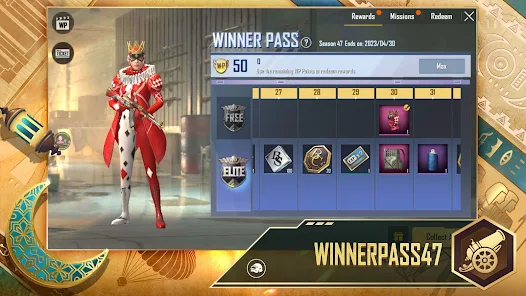
Game Overview
Lightweight Battle Royale Fun
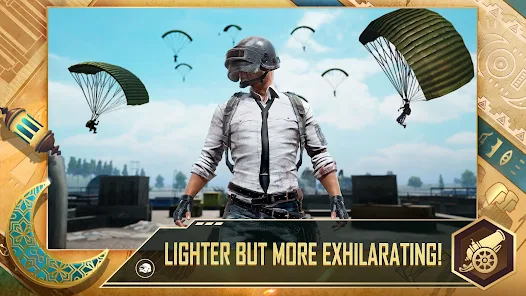
PUBG MOBILE LITE is a streamlined, faster-paced battle royale designed for phones with lower RAM and limited storage 😊. Matches are shorter and maps are smaller, but the classic PUBG tension remains—drop in, loot quickly, and fight to be the last squad standing.
Smooth Performance on Low-End Devices
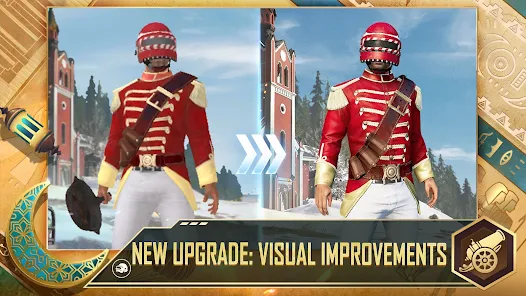
The game is optimized for entry-level Android phones and weaker network conditions 🚀. A smaller download size, reduced resource demands, and smart optimization keep gameplay smooth, so battles stay enjoyable even on budget devices.
Classic PUBG, Faster Matches
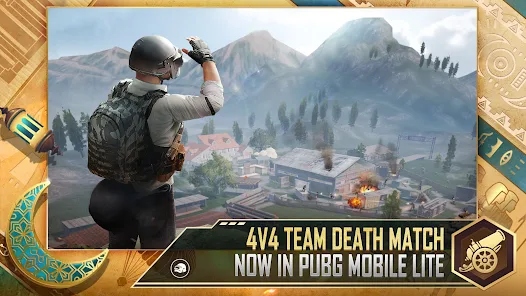
Experience the core PUBG loop of shooting, looting, and survival on compact maps ⚔️. Fewer players and tighter zones create more action and less downtime, with quick 10–15 minute matches ideal for short play sessions.
Play With Friends Anytime
Team up in duos or squads, use built-in voice chat, and push enemies together 🎧. Simple controls, aim assist, and training modes help newcomers get started quickly, while veterans still enjoy intense, tactical firefights.
How to Get Started
Step 1: Getting Started
Step 2: Download the game from Google Play, log in as a guest or with a linked account, then finish the tutorial. Fine-tune graphics and controls in Settings for smoother performance on your device 🎮.
Step 3: Choose Mode and Map
Step 4: From the lobby, tap the mode selector, choose Solo, Duo, or Squad, then pick a map. Beginners should start with Classic mode and enable auto-matching so teammates are filled in automatically.
Step 5: Adjust Controls and Sensitivity
Step 6: Go to Settings → Controls to select a layout and reposition buttons for comfort. In Sensitivity, lower values give more control while higher ones allow faster turning. Always test in Training Mode before real matches.
Step 7: Join a Match and Land Smart
Step 8: Tap Start to enter matchmaking. On the plane, open the map and set a landing marker. Drop with your team, follow the leader if needed, and aim for towns with decent loot but avoid the busiest hot zones at first 🪂.
Step 9: Loot Gear Quickly
Step 10: After landing, enter buildings and use auto-pickup. Prioritize a main weapon (AR or SMG), armor, helmet, backpack, ammo, and healing items. Use the backpack menu to discard weak gear and keep essentials.
Step 11: Track the Safe Zone and Enemies
Step 12: Watch the mini-map for the white safe circle and blue zone. Rotate early to avoid being caught outside. Use cover like trees and walls, crouch or lie prone in open ground, and listen closely for footsteps and gunfire.
Step 13: Fight Smart and Support Your Squad
Step 14: Aim with scopes, crouch to control recoil, and fire in controlled bursts. Revive teammates behind cover when they’re down and share healing items. Use smoke grenades for cover and frag grenades to clear enemies. Stay alive until your squad takes the win 🏆.
Download App
Star Ratings
More Games to Play
















Disclaimer
Playcove is not affiliated with nor represents any developer, and is not the developer of any App or game.
Playcove solely collects and displays information from Google Play, including screenshots, historical version APK files, and download links.
All trademarks, registered trademarks, product names, company names, and logos appearing on this site are the property of their respective owners.
We guarantee the security of all APK files provided on our site and also provide official download links from Google Play and the App Store for your reference.