












Fish Eat Fish.io
Epic Plane Evolution

Spring Spear: Aim & Snap

Heartopia

Escalators

Love Tester - Find Real Love

Survivalcraft

Gangs Wars: Pixel Shooter RP

Weapon Master: Gun Shooter Run

Ride Master: Car Builder Game
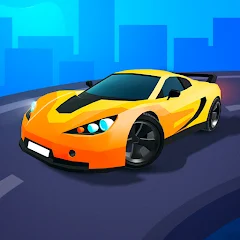
Race Master 3D - Car Racing
SayGames Ltd
Updated
Oct 28, 2026
Category
Racing
Installs
10M+
Rating
Updated
Oct 28, 2026
Category
Racing
Developer
SayGames Ltd
Installs
10M+
Rating
Game Screenshots
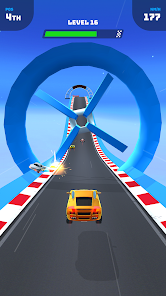
Game Overview
Adrenaline-Packed 3D Racing
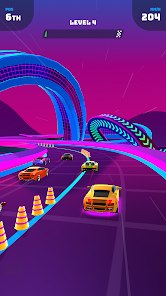
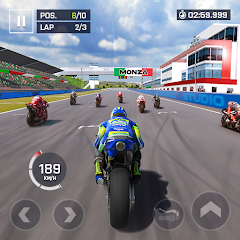
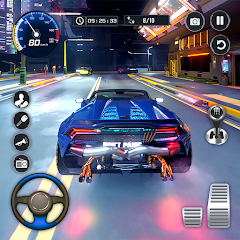
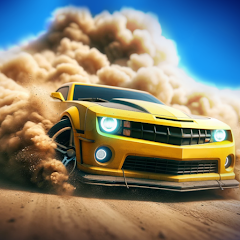
Race Master 3D - Car Racing is a fast, simple casual racer where each run feels like a mini action movie. Swipe, dodge, and boost your way through chaotic tracks filled with wild obstacles, neon effects, and unexpected twists 😎.
Crazy Tracks & Wild Obstacles
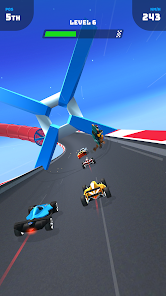
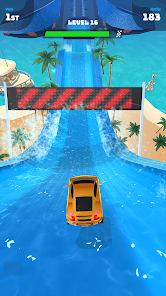
Every level introduces something different—moving barriers, swinging hammers, narrow tunnels, and tricky traps. The tracks are short but intense, built for quick bursts of fun while still delivering an epic rush 🤯.
Cool Cars & Juicy Upgrades
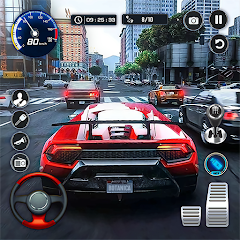
Earn coins to unlock and upgrade a range of stylish cars. Improve speed, handling, and stability to match different tracks. From sleek sports models to heavy-duty machines, build a garage that looks great and performs even better 🚗💨.
Easy to Start, Hard to Put Down
Simple one-finger controls make it easy to pick up, but timing and precision are what truly matter. Quick races, smooth graphics, and satisfying crashes keep every session engaging and hard to stop 🔥.
How to Get Started
Step 1: Basic Gameplay
Step 2: Race across short 3D tracks, dodge obstacles, and try to reach the finish line before your car gets destroyed. With simple touch controls, you can steer, avoid hazards, and speed up while collecting coins to upgrade your vehicle and unlock new cars.
Step 3: Start a Race
Step 4: Tap the Play button on the main screen to enter the next level. The race loads instantly, and your car begins moving forward automatically as soon as it starts.
Step 5: Steer Your Car
Step 6: Hold and drag your finger left or right to control the car. Keep your finger on the screen and use smooth swipes to avoid barriers and other vehicles 🏎️.
Step 7: Avoid Obstacles
Step 8: Stay alert for swinging hammers, moving blocks, sudden walls, and narrow gaps. Time your moves carefully and stick to open lanes to prevent crashes and keep your run going.
Step 9: Use Boost Zones
Step 10: Drive over glowing boost strips to get a burst of speed. Try to use boosts on straight sections, and be ready to react quickly when obstacles appear or the boost ends 💥.
Step 11: Collect Coins & Rewards
Step 12: Pick up coins during each race and collect rewards after finishing levels. Spend them in the garage to improve speed, handling, and stability for smoother control and higher top speed.
Step 13: Upgrade & Unlock Cars
Step 14: Go to the garage from the home screen to upgrade your current car or unlock new ones. Test different vehicles on harder tracks and keep upgrading until even tricky courses feel smooth and satisfying 😁.
Download App
Star Ratings
More Games to Play

Disclaimer
Playcove is not affiliated with nor represents any developer, and is not the developer of any App or game.
Playcove solely collects and displays information from Google Play, including screenshots, historical version APK files, and download links.
All trademarks, registered trademarks, product names, company names, and logos appearing on this site are the property of their respective owners.
We guarantee the security of all APK files provided on our site and also provide official download links from Google Play and the App Store for your reference.