












Fish Eat Fish.io
Epic Plane Evolution

Spring Spear: Aim & Snap

Heartopia

Escalators

Love Tester - Find Real Love

Survivalcraft

Gangs Wars: Pixel Shooter RP

Weapon Master: Gun Shooter Run

Ride Master: Car Builder Game
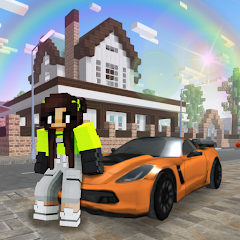
School Party Craft
AkmaljonKom
Updated
Oct 28, 2026
Category
Game
Installs
10M+
Rating
Updated
Oct 28, 2026
Category
Game
Developer
AkmaljonKom
Installs
10M+
Rating
Game Screenshots
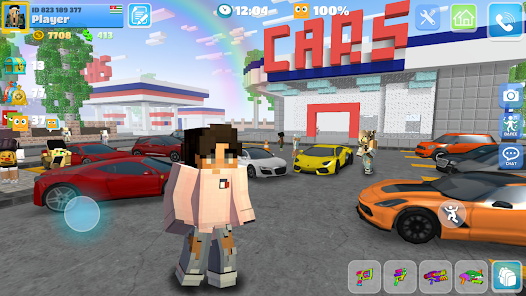
Game Overview
Blocky High School Adventure
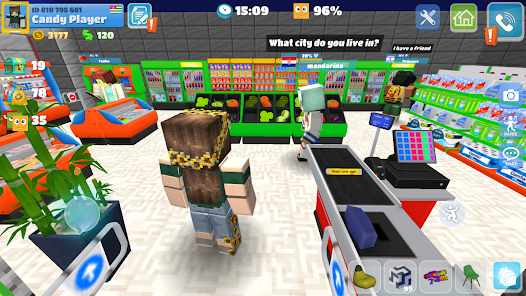
Step into a sandbox world where school becomes one giant playground 🎒✨. Build dorm rooms, classrooms, cafés, and hidden hangout spots using cute voxel-style blocks, then invite friends to explore, role-play, and spend time together.
Endless Customization Fun
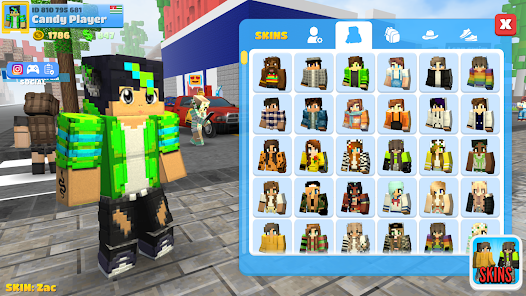
Design your own look with tons of skins, outfits, and accessories 😎. Mix school uniforms with casual or party wear, decorate your room, and create dream spaces that reflect your personality and imagination.
Social Party Vibes
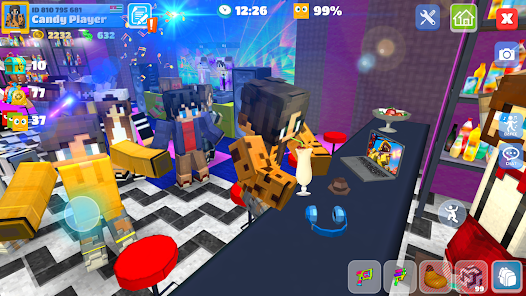
Chat, dance, and throw parties in places like parks, gyms, and rooftops 🎉. Meet new players online, join mini-games, and turn an ordinary school day into a nonstop social hangout.
Relaxed Creative Gameplay
No pressure, no timers—just pure creativity 🧱. Build at your own pace, experiment with designs, explore the map, and enjoy a chill blend of building, socializing, and light role-play anytime.
How to Get Started
Step 1: Getting Started
Step 2: Install the game, launch it, choose a nickname, and pick a stylish skin to enter the school world 🌍. Then follow the on-screen tips to learn how to move, build, and chat with other players.
Step 3: Move Around Campus
Step 4: Use the virtual joystick to walk or run across the map. Swipe the screen to look around in 3D. Explore classrooms, dorms, streets, and hidden corners to get familiar with the environment.
Step 5: Interact with Objects
Step 6: Tap buttons or icons near doors, furniture, and items to open, sit, or interact. Try different places like benches, beds, and café tables to trigger fun animations and reactions.
Step 7: Build and Place Items
Step 8: Open the build menu, select a block or furniture piece, and tap where you want to place it 🧱. Drag to rotate or adjust positioning until it looks right, then confirm to set it in place.
Step 9: Customize Characters and Rooms
Step 10: Go to the wardrobe or profile section to change skins, outfits, and accessories. Use room decoration tools to add beds, lights, posters, and party items for a cozy personal space.
Step 11: Chat and Make Friends
Step 12: Use the chat button to send messages, emojis, and reactions 💬. Add players as friends, join their locations, and invite them to hang out or role-play together.
Step 13: Join Events and Explore
Step 14: Look for party areas on the map or respond to invitations from other players. Dance, take screenshots, play mini-games, and discover new locations as you unlock more content over time.
Download App
Star Ratings
More Games to Play











Disclaimer
Playcove is not affiliated with nor represents any developer, and is not the developer of any App or game.
Playcove solely collects and displays information from Google Play, including screenshots, historical version APK files, and download links.
All trademarks, registered trademarks, product names, company names, and logos appearing on this site are the property of their respective owners.
We guarantee the security of all APK files provided on our site and also provide official download links from Google Play and the App Store for your reference.