












Fish Eat Fish.io
Epic Plane Evolution

Spring Spear: Aim & Snap

Heartopia

Escalators

Love Tester - Find Real Love

Survivalcraft

Gangs Wars: Pixel Shooter RP

Weapon Master: Gun Shooter Run

Ride Master: Car Builder Game

Sprunki Beat: Full Mod Music
Sprunki Beat Studio
Updated
Oct 28, 2026
Category
Music
Installs
10M+
Rating
Updated
Oct 28, 2026
Category
Music
Developer
Sprunki Beat Studio
Installs
10M+
Rating
Game Screenshots
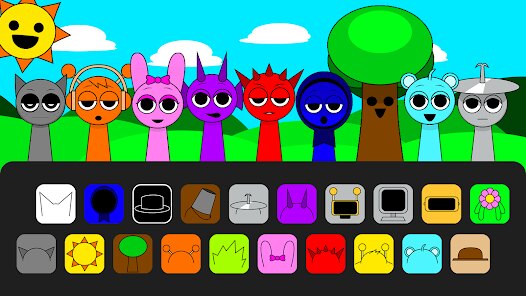
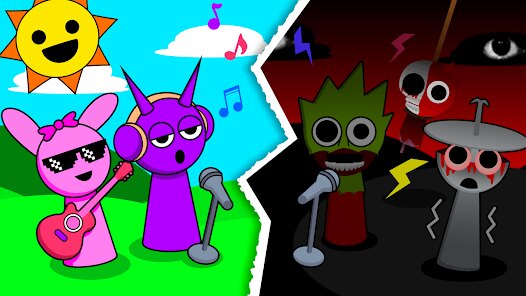
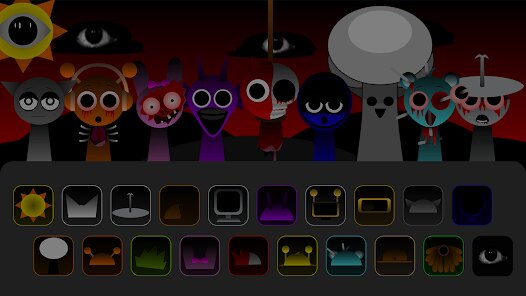
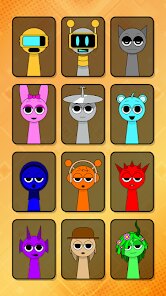
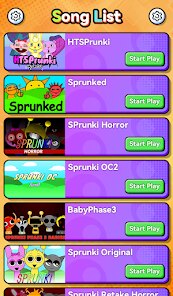
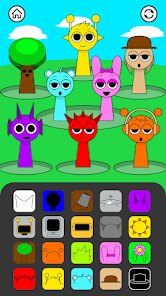
Game Overview
Rhythm Playground
Sprunki Beat: Full Mod Music is a free rhythm sandbox where beats, characters, and sound effects come together to create fun mini tracks 🎧. Tap, drag, and layer sounds to make your own crazy or relaxing music in just seconds.
Creative Sound Studio
Every quirky character brings a unique sound—drums, vocals, bass, or funny glitches 😜. Place them on the stage to build layered beats, then mute, replace, or remove them to remix your music whenever you like.
Unlimited Mod Beats
Mods introduce fresh sounds, new skins, and cool visual effects, making every session feel different 🎵. Mix and match packs to unlock hilarious combinations, spooky rhythms, or high-speed electronic beats.
Simple, Fun, and Relaxing
Easy controls with no stress or game over—just endless music-making fun. Perfect for quick breaks, winding down before bed, or sharing your funniest beats with friends 😎.
How to Get Started
Step 1: Sprunki Beat: Full Mod Music is a fun music sandbox where you create songs by placing sound characters on the stage. Each character adds a unique beat, melody, or effect. Mix, mute, and swap them to build your own catchy meme-style tracks 🎶.
Step 2: Start the Game
Step 3: Launch the app and wait for the main stage to appear. You'll see an empty performance area in the center and a row of sound characters along the bottom.
Step 4: Choose a Character
Step 5: Tap any character from the bottom lineup. Every character represents a different sound, including drums, bass, melodies, vocals, or special effects. Test a few to hear the difference.
Step 6: Place It on the Stage
Step 7: Drag your selected character onto an open spot. It immediately starts looping in sync with the rhythm. Add more characters to create a richer, more layered track.
Step 8: Create Your Mix
Step 9: Tap a character to mute or unmute it, or drag it off the stage to remove it. Blend slow, fast, soft, and powerful sounds to discover fun, unexpected combinations 🤪.
Step 10: Try Different Mods
Step 11: Open the mod or pack menu to switch themes. Explore new sound packs, character skins, and backgrounds ranging from cute and funny to horror, techno, or meme-inspired styles.
Step 12: Perfect Your Beat
Step 13: Adjust the volume if available, rearrange your performers, and experiment with different combinations. Once everything clicks, enjoy your custom mix and keep creating fresh beats 🎧.
Download App
Star Ratings
More Games to Play




Disclaimer
Playcove is not affiliated with nor represents any developer, and is not the developer of any App or game.
Playcove solely collects and displays information from Google Play, including screenshots, historical version APK files, and download links.
All trademarks, registered trademarks, product names, company names, and logos appearing on this site are the property of their respective owners.
We guarantee the security of all APK files provided on our site and also provide official download links from Google Play and the App Store for your reference.