












Fish Eat Fish.io
Epic Plane Evolution

Spring Spear: Aim & Snap

Heartopia

Escalators

Love Tester - Find Real Love

Survivalcraft

Gangs Wars: Pixel Shooter RP

Weapon Master: Gun Shooter Run

Ride Master: Car Builder Game
Tetris®
Playstudios
Updated
Oct 28, 2026
Category
Puzzle
Installs
10M+
Rating
Updated
Oct 28, 2026
Category
Puzzle
Developer
Playstudios
Installs
10M+
Rating
Game Screenshots
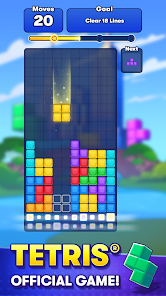
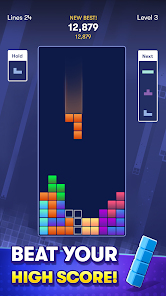
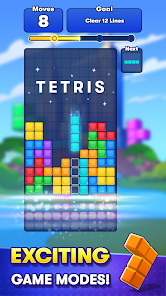

Game Overview
Classic Falling-Blocks Puzzle
Tetris® is a legendary falling-block puzzle game where geometric shapes called Tetriminos drop from the top of the screen. Rotate and position them to complete full horizontal lines and clear space on the board. The rules are simple, but the depth is endless—easy to pick up, hard to put down 😄.
Flexible: Relaxed or High-Score Chase
Whether you’re aiming for record-breaking scores or just unwinding, Tetris® adapts to your mood. Play quick rounds on the go or dive into longer sessions that test your reflexes and concentration. Every game feels like a fresh chance for a perfect run 😎.
Perfect for Short Breaks Anytime
Each session lasts just a few minutes, making it ideal for commuting, waiting, or quick breaks. There’s no storyline or pressure—just clean, focused gameplay that stays satisfying every time the blocks start falling 🤏.
The Classic “One More Game” Loop
Every cleared line, last-second rotation, and clutch save brings instant satisfaction. As the speed increases, calm strategy turns into intense decision-making, pulling you into that familiar “just one more game” cycle 😂.
How to Get Started
Step 1: Start a Game
Step 2: Launch the app, select a mode such as Marathon or quick play, then tap Start ▶️. A tall grid appears as your playfield, and the first Tetrimino begins dropping from the top immediately.
Step 3: Move Left and Right
Step 4: Use on-screen controls or swipe gestures to shift the falling piece horizontally. Try to position it early while it’s still high up, since space becomes tighter as it descends near existing blocks.
Step 5: Rotate the Pieces
Step 6: Tap the rotate button (or swipe up, depending on the control scheme) to change the piece’s orientation. Experiment with different angles to slot shapes into tight spaces or complete lines. Fast, well-timed rotations near the bottom are often key to last-second saves 🤯
Step 7: Speed Up the Drop
Step 8: Hold the down button for a soft drop to increase falling speed while maintaining control. Some versions also include a hard drop option that instantly places the piece at the bottom—great for quick plays, but risky if used carelessly ⚡
Step 9: Clear Lines and Earn Points
Step 10: Position pieces to create a full horizontal row with no gaps. Once completed, the line clears, blocks above fall down, and you earn points. Clearing multiple lines at once, especially a Tetris (four lines), gives a big score boost 🎯
Step 11: Think Ahead and Control Speed
Step 12: As the game progresses, pieces fall faster and pressure increases. Use the “next piece” preview to plan ahead while placing the current block. Keep your stack low, avoid creating holes, and try to maintain a clean side for big combo clears. Stay focused when the pace increases and enjoy the challenge 😏
Download App
Star Ratings
More Games to Play













Disclaimer
Playcove is not affiliated with nor represents any developer, and is not the developer of any App or game.
Playcove solely collects and displays information from Google Play, including screenshots, historical version APK files, and download links.
All trademarks, registered trademarks, product names, company names, and logos appearing on this site are the property of their respective owners.
We guarantee the security of all APK files provided on our site and also provide official download links from Google Play and the App Store for your reference.