












Fish Eat Fish.io
Epic Plane Evolution

Spring Spear: Aim & Snap

Heartopia

Escalators

Love Tester - Find Real Love

Survivalcraft

Gangs Wars: Pixel Shooter RP

Weapon Master: Gun Shooter Run

Ride Master: Car Builder Game
The Room Two
Fireproof Games
Updated
Oct 28, 2026
Category
Puzzle
Installs
10M+
Rating
Updated
Oct 28, 2026
Category
Puzzle
Developer
Fireproof Games
Installs
10M+
Rating
Game Screenshots
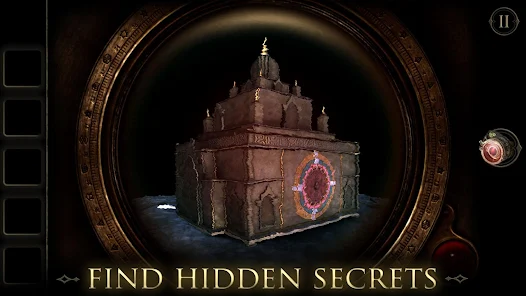
Game Overview
Mysterious Puzzle Sequel
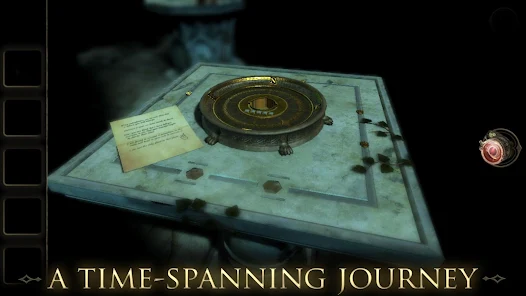
The Room Two is a first-person 3D puzzle adventure set inside eerie, shifting chambers filled with strange machinery and arcane symbols. Follow cryptic letters from a mysterious scientist and uncover the truth behind the mysterious “Null” element 👁️.
Tactile Box-Opening Fun
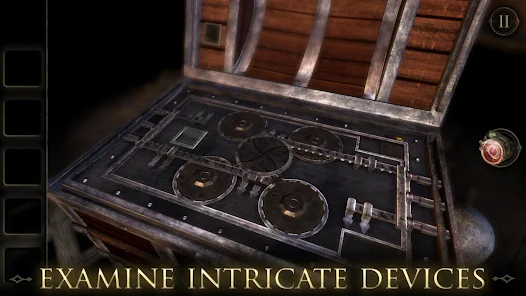
Every puzzle feels like interacting with a real mechanical contraption. Slide panels, rotate dials, pull levers, and uncover hidden compartments as each box-like structure unfolds into deeper layers of secrets 🤏.
Atmospheric Story World
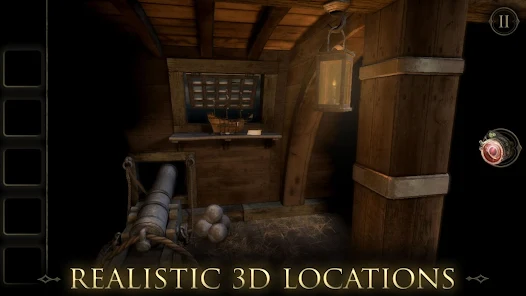
Dark Victorian-inspired visuals, immersive sound design, and subtle written clues create a haunting yet cozy atmosphere. There are no jump scares—only slow-building mystery and rewarding “aha” moments 🔍.
Play at Your Own Pace
Designed in short, self-contained chapters with intuitive touch controls and helpful hints. It’s perfect for relaxed sessions on the sofa, in bed, or during a quiet evening 🛋️.
How to Get Started
Step 1: Quick Start Guide
Step 2: Explore each room carefully, inspect every object, and interact with mechanisms, locks, and lenses. Progress comes from solving one layered puzzle at a time—each solution reveals new tools or clues 🔓.
Step 3: Look Around the Room
Step 4: Swipe to rotate your view and examine the environment. Check tables, walls, drawers, and devices closely. Anything that stands out or glows is worth investigating.
Step 5: Inspect Objects Closely
Step 6: Tap objects to zoom in, then pinch and drag to rotate them. Look for hidden switches, screws, markings, or subtle mechanical parts that can be manipulated.
Step 7: Use the Eyepiece Lens
Step 8: Early in the game, you obtain a special eyepiece. Use it to reveal hidden symbols, invisible messages, and concealed mechanisms 👁️🗨️. Try it on suspicious objects and surfaces.
Step 9: Combine and Use Items
Step 10: Access your inventory at the bottom of the screen. Inspect items carefully—many can be rotated or unfolded. Drag them onto compatible mechanisms or slots to solve puzzles.
Step 11: Follow Clues and Notes
Step 12: Read all letters and documents thoroughly. Clues often hide in numbers, patterns, or wording that point to codes or hidden interactions. Revisit notes if you feel stuck.
Step 13: Use Hints When Stuck
Step 14: If progress slows, tap the hint icon 💡. It provides subtle guidance toward the next step without fully revealing the solution, keeping the experience smooth and enjoyable 🙂.
Download App
Star Ratings
More Games to Play


















Disclaimer
Playcove is not affiliated with nor represents any developer, and is not the developer of any App or game.
Playcove solely collects and displays information from Google Play, including screenshots, historical version APK files, and download links.
All trademarks, registered trademarks, product names, company names, and logos appearing on this site are the property of their respective owners.
We guarantee the security of all APK files provided on our site and also provide official download links from Google Play and the App Store for your reference.