












Fish Eat Fish.io
Epic Plane Evolution

Spring Spear: Aim & Snap

Heartopia

Escalators

Love Tester - Find Real Love

Survivalcraft

Gangs Wars: Pixel Shooter RP

Weapon Master: Gun Shooter Run

Ride Master: Car Builder Game
Toca Life World: Build a Story
Toca Boca
Updated
Oct 28, 2026
Category
Casual
Installs
10M+
Rating
Updated
Oct 28, 2026
Category
Casual
Developer
Toca Boca
Installs
10M+
Rating
Game Screenshots
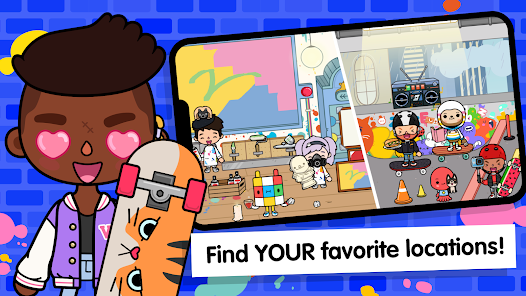
Game Overview
Endless Play World 🌎
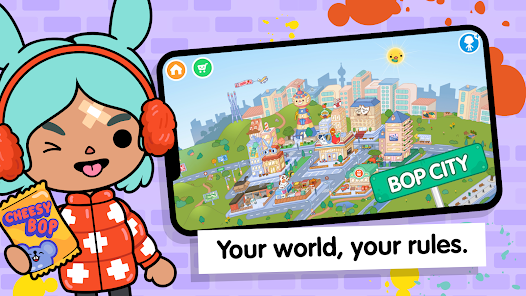
Toca Life World is a massive digital dollhouse where every character, pet, and location can be combined in one big connected city. Move anyone anywhere, mix silly situations, and turn everyday life into a playful cartoon-style world.
Story Creator for Kids 🎬
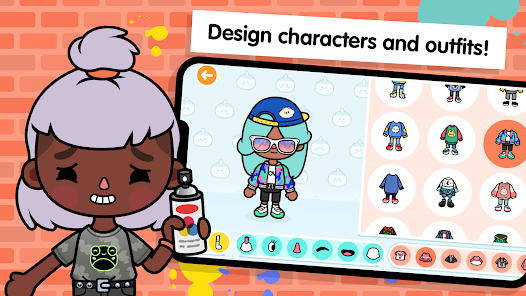
Make mini movies, comics, or role-play scenes using hundreds of quirky characters. Change outfits, hairstyles, and expressions, then take screenshots or screen-record stories to share with friends and family.
Ever-Growing City 🏙️
Start with a cozy starter world and expand it with new districts, shops, apartments, and seasonal locations. Regular updates bring new packs, places, and surprises, keeping the world fresh and full of secrets.
Safe, Kid-Friendly Fun ✅
Designed for kids with no chat features or score systems—just open-ended play. Explore at your own pace, experiment freely, and enjoy fun animations, silly reactions, and hidden Easter eggs everywhere 😆
How to Get Started
Step 1: Jump In and Explore 🚪
Step 2: Open the game and tap the world map to visit your first locations, such as the shop, salon, or apartment. Drag characters and items around to start free play right away.
Step 3: Pick a Location
Step 4: Tap the map icon, choose a building, and wait for it to load. Swipe left or right inside to explore rooms, floors, and hidden corners.
Step 5: Choose Characters
Step 6: Tap the character button on the right side to open the character menu. Drag any person or pet into the scene, or tap the creation icon to design a brand-new avatar.
Step 7: Move and Interact
Step 8: Drag characters to different areas, then tap objects like food, doors, showers, or beds. Most items can be picked up, worn, eaten, or turned on and off 🔍.
Step 9: Customize Looks
Step 10: Visit the hair salon or clothing store. Tap chairs, mirrors, and racks, then select styles and outfits to instantly change how characters look.
Step 11: Decorate and Arrange
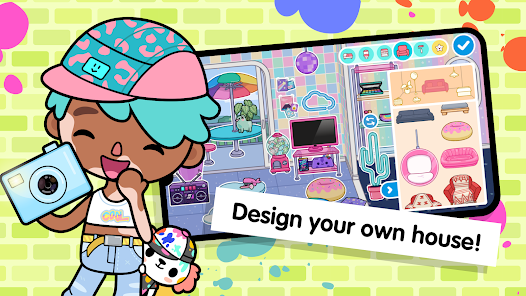
Step 12: Go to home locations and tap the edit/decorate icon. Drag furniture, plants, and decorations into rooms, rotate them, and build your dream house or themed space.
Step 13: Record Your Story
Step 14: Use your device’s screenshot or screen recording tools while playing. Act out scenes, switch locations, and change characters to turn free play into your own mini show 🎥.
Download App
Star Ratings
More Games to Play
















Disclaimer
Playcove is not affiliated with nor represents any developer, and is not the developer of any App or game.
Playcove solely collects and displays information from Google Play, including screenshots, historical version APK files, and download links.
All trademarks, registered trademarks, product names, company names, and logos appearing on this site are the property of their respective owners.
We guarantee the security of all APK files provided on our site and also provide official download links from Google Play and the App Store for your reference.