












Fish Eat Fish.io
Epic Plane Evolution

Spring Spear: Aim & Snap

Heartopia

Escalators

Love Tester - Find Real Love

Survivalcraft

Gangs Wars: Pixel Shooter RP

Weapon Master: Gun Shooter Run

Ride Master: Car Builder Game
Urban City Stories - Town life
PlayToddlers
Updated
Oct 28, 2026
Category
Simulation
Installs
10M+
Rating
Updated
Oct 28, 2026
Category
Simulation
Developer
PlayToddlers
Installs
10M+
Rating
Game Screenshots
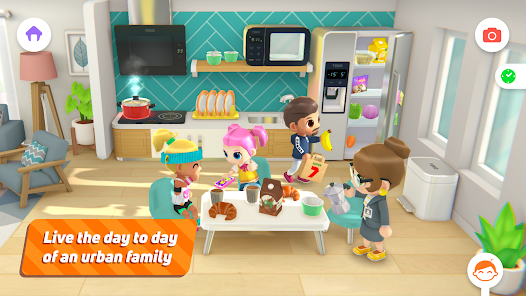
Game Overview
Open-Ended City Playground
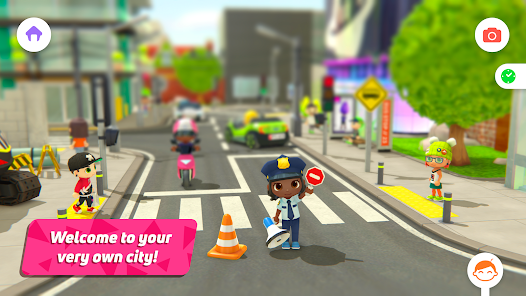
Urban City Stories – Town Life is a digital dollhouse where kids can explore a vibrant city filled with everyday places like homes, shops, schools, and more 🏙️. There are no scores or time limits—just free play and imagination, perfect for storytelling and role-playing any scene they can think of.
Rich Everyday Scenarios
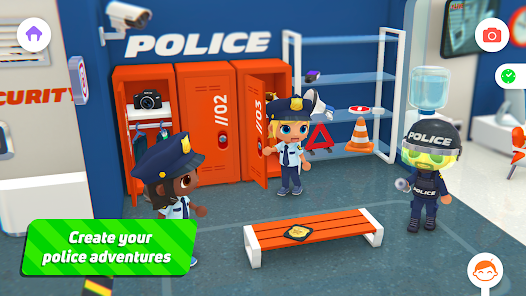
From grabbing a burger to visiting the police station or relaxing at home, the game turns ordinary life into a playful sandbox 🍔🚓. Characters, outfits, and objects can be combined in endless ways, making every play session feel like a brand-new personal story.
Safe for Kids, Fun for Families
Designed with children in mind, it avoids stressful mechanics and in-app chaos 👨👩👧. Simple controls, friendly visuals, and an ad-safe environment make it easy for younger players, while still being enjoyable for older siblings and parents.
Tons of Characters and Secrets
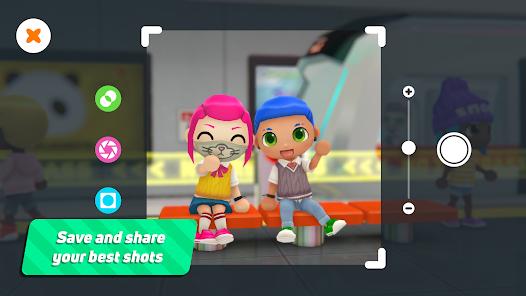
Meet a variety of characters, change outfits, and interact with hundreds of items 😄. Hidden surprises, funny reactions, and tiny details in every corner spark curiosity and keep kids coming back to explore the city again and again.
How to Get Started
Step 1: Start Your City Adventure
Step 2: Launch the game and step into the main city map. Tap any building to enter and begin creating stories with characters and objects. No tutorial pressure—just explore, experiment, and have fun 🤹.
Step 3: Choose a Place to Visit
Step 4: From the map, tap a location like a house, restaurant, school, or police station. Each spot loads instantly as a mini scene where everything is interactive and ready to play.
Step 5: Pick and Move Characters
Step 6: Tap a character to select it, then drag to move it around the room. Place characters near chairs, beds, or objects to see how they interact. Mix different people together to build family, friend, or work scenarios.
Step 7: Interact With Objects
Step 8: Tap furniture, doors, food, and gadgets to see what happens 🍕. Open fridges, switch on TVs, use computers, or serve meals. Drag items into characters’ hands to role-play jobs, hobbies, or daily routines.
Step 9: Change Clothes and Styles
Step 10: Find wardrobes, closets, or clothing icons and tap them to open dress-up options. Drag outfits, hats, and accessories onto characters. Mix and match styles to create students, police officers, chefs, or even funny, over-the-top looks 😎.
Step 11: Switch Between Locations
Step 12: Use the exit door or map icon to return to the city view. Tap another building to continue your story in a new setting, bringing the same characters along to act out school days, work shifts, or city adventures.
Step 13: Discover Secrets and Make Stories
Step 14: Try different items and rooms to unlock hidden actions and funny reactions 🎉. Encourage storytelling, invent your own rules, and replay scenes in new ways—there’s no right or wrong way to play.
Download App
Star Ratings
More Games to Play
















Disclaimer
Playcove is not affiliated with nor represents any developer, and is not the developer of any App or game.
Playcove solely collects and displays information from Google Play, including screenshots, historical version APK files, and download links.
All trademarks, registered trademarks, product names, company names, and logos appearing on this site are the property of their respective owners.
We guarantee the security of all APK files provided on our site and also provide official download links from Google Play and the App Store for your reference.